


RELATED APPS





SCREENSHOTS


DESCRIPTION
Are you looking for an easy app to capture meetings, lectures, or personal notes? Voice Recorder & Audio Editor provides a free solution for taking unlimited audio notes on your phone. Developed by Google Commerce Ltd, this tool lets you record sound without fixed length restrictions as long as your device has available space. Downloading the Voice Recorder & Audio Editor APK allows you to start recording quickly while choosing from visual cassette themes.
What does Voice Recorder & Audio Editor APK offer?
The app combines standard audio recording with retro visual customization. Here are the main features included in version 8.0.0:
- Unlimited audio recording: Record for as long as you need and create as many files as your device storage permits.
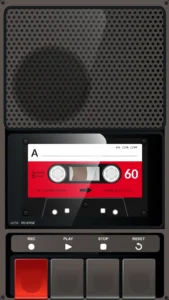
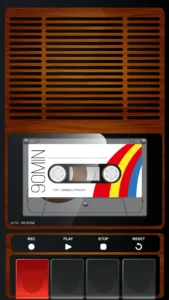
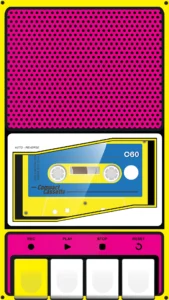
- Visual tape deck themes: Choose from 16 different cassette and tape deck skins to customize your recorder screen.
- Desktop file transfer: Export your saved audio files to a computer using a USB cable or WiFi Sync.
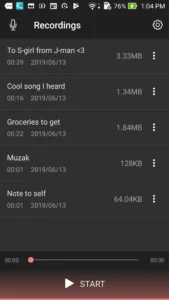
- Playback and management: Rename saved clips, share them with other applications, and skip forward or backward during playback.
If you also stream or listen to local music files on your phone, reading about Meulify can give you more ideas for managing your media files.
How do you capture and transfer your audio?
When you start a session in Voice Recorder & Audio Editor, your device microphone captures the incoming sound. The app saves the clip locally so you can rename and organize it later. When you need to move recordings off your device, you do not have to rely only on cloud uploads. You can connect your phone to a computer with a USB cable or use the WiFi Sync function to download files. For users who want more precise audio management across different apps, tools like Sound Assistant can offer additional volume control settings.
How to set up and grant permissions
Getting started with the Voice Recorder & Audio Editor download involves installing the file and accepting a few permission requests:
- Download and install the Voice Recorder & Audio Editor latest version.
- Grant microphone access (RECORD_AUDIO) so the application can capture voice input.
- Grant media storage permissions (READ_MEDIA_AUDIO or READ_EXTERNAL_STORAGE) so your files can be saved and retrieved.
- Allow notification access (POST_NOTIFICATIONS) if you want to see status icons while recording in the background.
Quick facts
What are the strengths and limitations?
Strengths:
- No artificial time limits on individual recording sessions.
- Flexible transfer options using USB or WiFi Sync.
- Offers 16 cassette deck visual designs.
- Includes basic file renaming, sharing, and navigation controls.
Limitations:
- Contains advertisements.
- Includes advertising network permissions for ad delivery.
Who should install this recording app?
You should install Voice Recorder & Audio Editor if you need a free recording tool with easy PC file transfer and customizable tape deck skins. You should skip it if you prefer an ad-free interface or do not want ad network permissions on your phone.
Frequently Asked Questions
Is Voice Recorder & Audio Editor free?
Yes, the app is 100% free to use and is supported by advertisements.
How do I transfer recordings to a PC?
You can move your audio files to a desktop computer using a standard USB cable or through the built-in WiFi Sync option.
Is there a maximum limit on recording time?
There is no built-in time limit. You can record as long as your Android device has sufficient free storage space.
