

Voice Recorder - XVoice 6.6
Glad Appvestor
November 22, 2026
86.4 MB
6.6
recorderpro.voicememos.audio
RELATED APPS






SCREENSHOTS
DESCRIPTION
Voice Recorder – XVoice APK: A Comprehensive Tool for Audio Capture
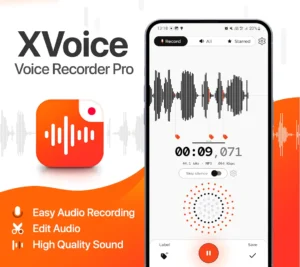
Voice Recorder – XVoice is a dedicated mobile utility designed to help you capture audio for various professional and personal needs. Developed by Glad Appvestor, this application serves as a versatile tool for recording lectures, brainstorming sessions, and personal memos on your Android device. With over 1 million installs, it provides a stable platform for users looking to manage their audio files. When you choose the Voice Recorder – XVoice APK, you gain access to a reliable way to document your thoughts and daily tasks. This app focuses on providing clear audio, ensuring you never miss a moment of inspiration or an important detail during a meeting.
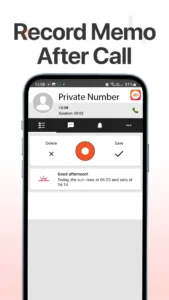
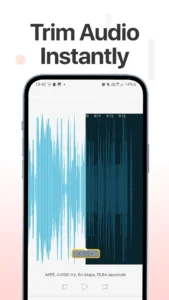
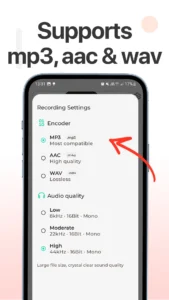
The application offers several key features to enhance your recording experience. You can record audio at up to 44kHz quality, ensuring that your voice memos or interviews are captured with high fidelity. If you need to manage file sizes, the app includes automatic silence detection, which stops recording during gaps in sound. This saves storage space and keeps your files focused on the content that matters. For those who need to document details immediately after a conversation, the after-call memo feature allows for quick note-taking. You can also utilize voice-to-text functionality to transcribe your notes quickly. By using the Voice Recorder – XVoice APK, you have full control over your audio settings, ranging from 8kHz to 44kHz to suit your specific recording environment. These tools are designed to streamline your workflow, whether you are in a quiet room or a busy environment.
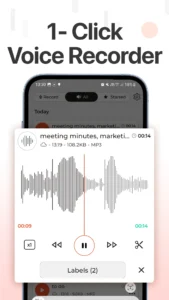
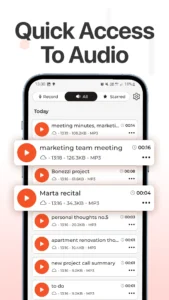
Organization is a core component of this application. It provides an intuitive list view where you can mark specific recordings as favorites for rapid access. If you are looking for other audio utilities, you might also find Meulify useful for your media management needs. Additionally, the app supports automatic synchronization with Dropbox, ensuring your files are backed up across different devices. Sharing your recordings is simple, as you can send files via email, messaging apps, or social media with just a few taps. The Voice Recorder – XVoice APK makes it easy to keep your audio memories and work notes organized in one place. You can trust this app to keep your personal anecdotes and professional records accessible at a moment’s notice.
To get started with Voice Recorder – XVoice, simply download and install the APK file. The app requires several permissions to function correctly, including microphone access for recording, storage access, and phone state permissions to enable the after-call memo feature. It also requests internet access for cloud synchronization and ad-related services. Users interested in managing device audio settings might also consider exploring Sound Assistant to complement their experience. The installation process is straightforward, and the app is designed to run efficiently on supported Android versions, providing a consistent experience for all users.
Strengths and Limitations
Strengths:
- High-quality recording options up to 44kHz for clear audio.
- Automatic silence detection to reduce file sizes and remove gaps.
- Direct synchronization with Dropbox for secure cloud backups.
- Easy organization with a favorites system for frequently accessed clips.
- After-call memo feature for immediate documentation of conversation details.
Limitations:
- The app displays advertisements during use.
- Requires numerous permissions to enable all features like call handling and cloud sync.
- The file size is 86.4 MB, which may be significant for some devices with limited storage.
Who Should Use This App?
This app is ideal for students, professionals, and creatives who need a reliable way to capture and organize voice notes. It is particularly useful if you frequently need to transcribe ideas or save audio immediately following a phone call. If you prefer a minimalist app with no advertisements or require minimal system permissions, this may not be the best choice for your needs.
Frequently Asked Questions
Is Voice Recorder – XVoice free?
Yes, the app is free to use but includes advertisements.
Does it work offline?
The app performs core recording functions offline, though cloud synchronization requires an internet connection.
Can I adjust the audio quality?
Yes, you can customize the recording quality from 8kHz to 44kHz depending on your specific requirements.
