

Wear Watch Face Format Runtime
RELATED APPS






SCREENSHOTS
DESCRIPTION
Understanding the Wear Watch Face Format Runtime APK
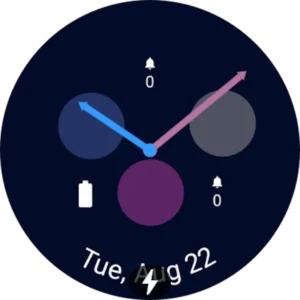
The Wear Watch Face Format Runtime is a specialized tool developed by Google Commerce Ltd for the Wear OS platform. When you download the Wear Watch Face Format Runtime APK, you are installing an engine that allows your smartwatch to process and display watch faces built using the modern Declarative Watch Face Format. By handling these files, it ensures that your wearable device can interpret complex design elements without requiring heavy custom code.
This runtime environment is essential for users who want to use the latest, battery-efficient watch face designs. Because it operates in the background, it does not have a user interface you need to open or configure. Instead, it provides the necessary infrastructure for your system to render watch faces correctly. You may also find utility in tools like ZArchiver Pro Donate for managing your device files, or explore new ways to run software with Minecraft Java: PojavLauncher.
How the Runtime Improves Your Watch
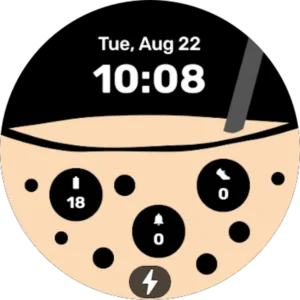
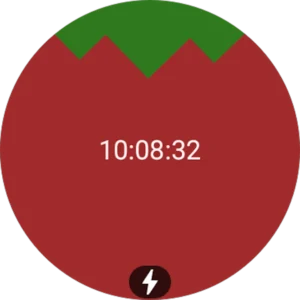
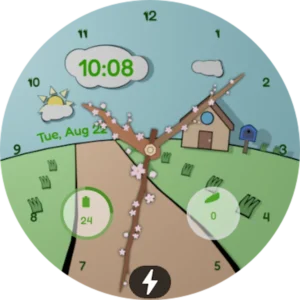
The Wear Watch Face Format Runtime simplifies how watch faces are built and displayed. By using a declarative format, developers can create faces that are smaller in size and use less battery power. This runtime reads those declarations and turns them into the visual elements you see on your wrist. It supports high-quality graphics and smooth animations while keeping system overhead low.
Because this app is a system-level component, it helps ensure consistency across different Wear OS devices. When you download a watch face that uses this newer format, the runtime handles the heavy lifting. It ensures that the time, complications, and background images appear exactly as the designer intended, regardless of the specific hardware model you own.
Getting Started with the Runtime
You do not need to perform any manual setup for the Wear Watch Face Format Runtime. It typically updates automatically through the system’s background processes to ensure compatibility with the latest watch face standards. Since this component is designed for system stability, it does not require you to sign in or grant specific permissions to function. Simply keep your device updated to ensure you have the latest improvements provided by Google Commerce Ltd.
Quick Facts
Strengths and Limitations
Strengths:
- Enables power-efficient watch face designs.
- Maintains system-wide consistency for modern watch faces.
- Operates silently in the background without needing user interaction.
Limitations:
- Offers no user interface or settings menu.
- Requires a compatible Wear OS device to function.
Who Should Use This App
If you use a Wear OS device, this runtime is a necessary component for your system. It is ideal for users who enjoy customizing their watch with modern, high-performance watch faces. If you prefer to stick to basic, pre-installed watch faces, you may not notice its impact, but it remains a core part of your watch’s software environment. It is not intended for users on non-wearable Android devices.
Is this app free to use?
Yes, the app is free and does not contain any paid tiers or in-app purchases.
Does it drain my watch battery?
No, the declarative format is specifically designed to be battery-efficient, and this runtime helps the system render these designs with minimal energy consumption.
Do I need to open this app after installing it?
No, there is no user interface to open. The app functions as a background service for your watch’s operating system.
