

AI Notepad: Notes and Lists 1.1.0.42
Glad Appvestor
November 22, 2026
39.1 MB
1.1.0.42
com.ai.notepad.notes.ainotes
RELATED APPS






SCREENSHOTS

DESCRIPTION
How can you organize your thoughts using AI Notepad: Notes and Lists APK?
Managing daily tasks and capturing sudden ideas can be difficult without the right tools. AI Notepad: Notes and Lists is designed to simplify this process by combining a traditional notepad with modern artificial intelligence. By using the AI Notepad: Notes and Lists APK, you can write memos, create lists, and generate content quickly from your mobile device. Developed by Glad Appvestor, this application provides a versatile environment for both simple reminders and complex writing projects.
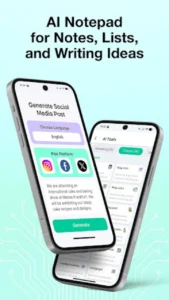
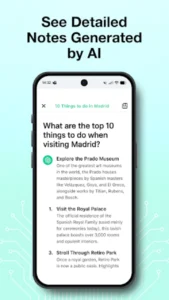
The core of the app is its ability to turn simple input into structured text. You can use the AI writing assistant to expand your basic thoughts into detailed posts or organized ideas. This feature is particularly useful for creators who need to flesh out content on the go. If you need to coordinate your daily schedule, you might also consider Google Meet for your professional video conferencing needs. The app aims to keep your productivity high by offering tools that adapt to your specific note-taking style.
What features does AI Notepad: Notes and Lists offer?
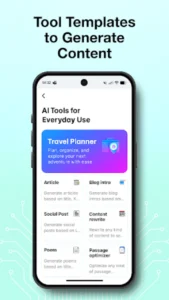
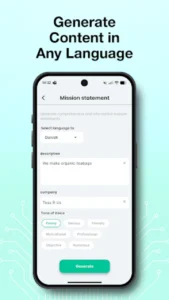
The app provides a variety of tools to keep your information organized. Beyond simple text, you can attach images to your notes for a more visual reference. If you are tracking your daily requirements, the to-do list functionality allows you to manage tasks in a structured manner. You can even create dedicated grocery or shopping lists to ensure you never forget an item. The voice note capability is another highlight, allowing you to record audio reliably. The latest version ensures that silent recordings do not consume your credits. For those who manage many files and documents, you might find MediaFire helpful for your cloud storage requirements. AI Notepad: Notes and Lists also includes built-in templates to speed up your writing process, supporting content generation in multiple languages.
Getting started with the app
To begin, download the AI Notepad: Notes and Lists APK and install it on your Android device. Upon opening the app, you will notice that it requires several permissions to function correctly. The app needs access to your camera and microphone for images and voice notes. It also uses network state and internet permissions to sync content and provide AI assistance. Other permissions, such as ad services and billing, are used to manage the free, ad-supported model and premium subscription features. The interface is designed to be user-friendly, with themes that automatically match your phone’s light or dark mode settings. If you reach a daily AI usage limit, the app provides clear notifications to help you manage your remaining tasks.
Core Functionality Breakdown
- Visual note-taking with image support.
- AI-powered text expansion and template generation.
- Reliable voice recording functionality.
- To-do list and task tracking tools.
- Multi-language support for content generation.
Strengths and Limitations
- Versatile note-taking with AI assistance and photo support.
- Intuitive theme options including dark mode.
- Ad-supported free model requires internet access.
- Some advanced features are locked behind premium subscriptions.
Who should use this app?
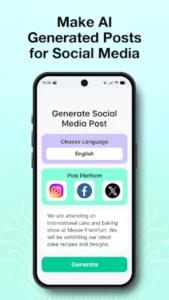
This tool is ideal for students who need to keep track of lectures, professionals balancing multiple tasks, and shoppers managing lists. If you are a creator who uses AI Notepad: Notes and Lists to draft social media posts, you will find the AI assistant particularly time-saving. Users wanting a smart, all-in-one organizer will find it a capable choice. The recent updates have improved the reliability of voice notes and the overall responsiveness of the editor toolbar, making it a reliable companion for daily organization.
Is the app free to use?
Yes, the app is free to download and use, though it is supported by advertisements. Some features require a premium subscription.
Does it work offline?
The app provides clear AI messages when you are offline, but many AI-driven features require an active internet connection.
Which Android version is required?
The app is compatible with current Android devices, though specific minimum requirements are not listed by the developer.
