


Audio Editor & Music Editor 2.01.65.1014
November 22, 2026
91.7 MB
2.01.65.1014
Android 7.0
audioeditor.musiceditor.soundeditor.songeditor
RELATED APPS





SCREENSHOTS
DESCRIPTION
Edit Audio Directly on Your Device with the Audio Editor & Music Editor APK
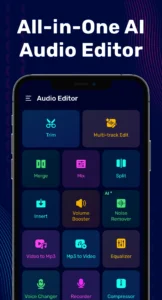
If you are looking for a mobile solution to manipulate sound files, Audio Editor & Music Editor provides a comprehensive suite of tools for your smartphone. Developed by Google Commerce Ltd, this application acts as a portable audio lab for users who need to trim, merge, and mix tracks without relying on desktop software. The Audio Editor & Music Editor APK is a versatile choice for content creators or anyone who wants to customize their ringtones or edit voice recordings on the go. Whether you are a casual user or a hobbyist, this tool handles various audio tasks with ease directly on your mobile device.
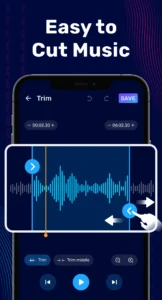
The app functions as a multi-purpose utility, offering features like a built-in voice recorder, audio trimmer, and MP3 cutter. You can use Audio Editor & Music Editor to extract audio from video files or adjust volume levels using the integrated bass booster. The interface relies on visual sound wave diagrams, allowing you to make precise cuts to your music or recordings. It provides the same level of utility as desktop audio editing software, optimized specifically for your phone’s touch interface.
Core Editing Capabilities
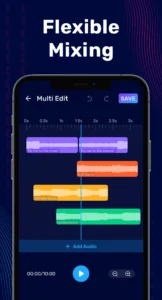
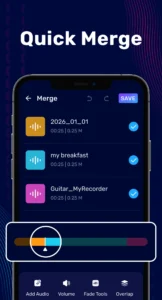
You get access to several professional-grade features designed for mobile music editing. The MP3 cutter allows for exact trimming through a visual waveform, making it simple to crop music or shorten audio files. If you need to combine files, the audio merger function lets you join different tracks together, even if they are in different formats. You can also explore the multi-track mixing options to layer sounds or mash up songs for creative projects. This Audio Editor & Music Editor APK helps you manage your media library effectively.
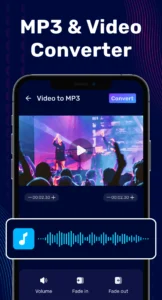
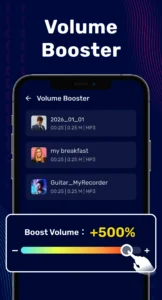
Beyond basic cutting, the app includes a conversion suite. You can convert video files to MP3 format or compress audio to save storage space. The volume booster is helpful if your recordings are too quiet, allowing you to increase the loudness without complex equipment. To enhance your listening experience, you might look at Meulify for your playback needs. For those who need advanced sound management, Sound Assistant offers additional control over your device audio settings.
Getting Started and Permissions
To begin, download and install the Audio Editor & Music Editor APK. Upon first launch, the app will request various permissions to function correctly. These include access to your media files for reading and writing audio, microphone access for the voice recorder, and network state to manage ad services. The app also requires permission to set alarms, use vibration, and display notifications. The software uses these permissions to provide a complete audio lab experience, including the ability to record new audio clips and save your edited music files directly to your device storage.
Strengths and Limitations
Strengths
- Powerful multi-track mixing and merging capabilities for complex sound projects.
- Visual waveform editor for precise trimming and cutting of audio tracks.
- Includes a built-in video-to-audio converter for extracting soundtracks.
- All-in-one suite for voice recording, volume boosting, and sound modification.
Limitations
- The app is supported by ads.
- Requires numerous permissions to access device features like storage and microphone.
- Contains in-app purchases for specific features.
Who Should Use This App
This application is ideal for creators who need to edit audio on the go. It is perfect for people who want to create custom ringtones, edit voice recordings, or convert video soundtracks into standalone MP3 files. It is a practical choice for anyone wanting to mix music or trim audio tracks without needing a computer.
Frequently Asked Questions
Is this app free to use?
Yes, the app is free to download and use, though it includes ads and in-app purchases.
Can I use it to convert video to audio?
Yes, the app includes a dedicated video-to-MP3 converter to extract audio from your video files.
Does it work for multi-track editing?
Yes, the song mixer supports multi-track editing so you can mix different audio sources flexibly.
What Android version is required?
The app is designed for Android, but specific system requirements depend on your device.
