


Audio Tag Editor - Mp3 Tagger 0.0.12_BETA
November 22, 2026
33.6 MB
0.0.12_BETA
com.hitrolab.mp3tagger.tageditor
RELATED APPS


SCREENSHOTS
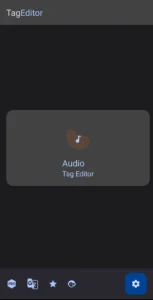
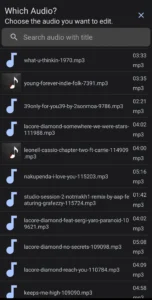
DESCRIPTION
Get the Audio Tag Editor – Mp3 Tagger APK for Your Library
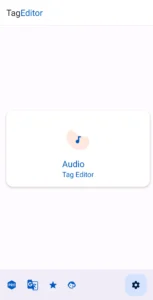
If you are a music enthusiast, DJ, or musician, you know that a disorganized library can ruin your listening experience. Audio Tag Editor – Mp3 Tagger is designed to solve this by allowing you to take full control of your audio metadata. Developed by Google Commerce Ltd, this tool helps you clean up your collection so every song title, artist, and album is correct and easy to find. By downloading the Audio Tag Editor – Mp3 Tagger APK, you gain access to a professional-grade tool that ensures your music collection remains structured and visually appealing.
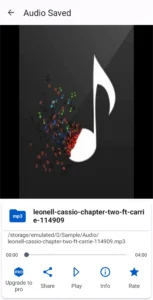
The app offers a wide range of editing options for your tracks. You can modify song titles, album names, artist details, release years, and even lyrics. Because the tags and artwork are written directly into the files, your changes stay in place even if you move your files or restart your device. If you manage large libraries, you might also find Meulify useful for your daily listening needs, providing a clean interface for playing your newly tagged files.
Key Features for Your Audio Collection
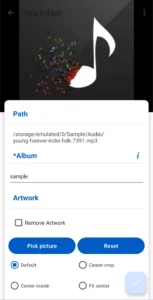
Audio Tag Editor – Mp3 Tagger includes a batch editor, which is ideal if you have many files that need quick updates at once. You can also add or modify album covers to ensure your library looks professional. The app features an auto-artwork search and a built-in web browser search to help you find the correct images for your tracks. If you need to fine-tune your audio output settings, you can check out Sound Assistant to manage your volume and sound profiles while you listen to your tracks.
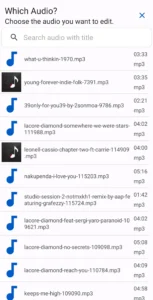
The app supports a large variety of formats including MP3, WMA, Ogg Vorbis, Opus, MPEG-4, FLAC, AIFF, and WAV. You can edit tags on files stored on your SD card, delete existing tags for a clean slate, and save artwork for future use. The recent update added an improved audio gallery and a comprehensive genre list to make navigation even easier. With the latest version, you can now open and share audio files directly from any file manager on your device.
Installation and Permissions Requirements
You can install this app on your Android device to start organizing your files immediately. The app requires several permissions to function correctly. It needs access to your media files to read and write metadata. Other permissions like Internet access and network state are required for the auto-artwork search feature. The app also uses billing and license checks for its services, and it may request access to your notification settings to keep you updated on service tasks.
Strengths and Limitations
Strengths:
- Supports a wide range of audio formats including FLAC, WAV, and Ogg Vorbis.
- Includes batch editing capabilities for large music collections.
- Allows for direct editing of album art and lyrics with auto-search functionality.
- Ability to edit files stored directly on external SD cards.
Limitations:
- The app is supported by ads.
- Requires several specific device permissions to access media and network services.
- Some features require an active internet connection for searching metadata and artwork.
Frequently Asked Questions
Is Audio Tag Editor – Mp3 Tagger free to use?
Yes, the app is free to download and use, though it is supported by advertisements.
Does this app work with files on my SD card?
Yes, the app supports editing music files stored on your SD card.
What audio formats are supported?
The app supports MP3, WMA, Ogg, Opus, MP4, FLAC, AIFF, DSF, DFF, and WAV files.
Which Android versions are compatible?
The app is updated to target the latest Android standards, including support for Android 16 (API 36).
APP TRAILER
