


Azure Vision Liveness Detect 1.4
Microsoft Corporation
November 22, 2026
14.7 MB
1.4
Android 8.0
com.microsoft.azurevisionliveness
RELATED APPS






SCREENSHOTS
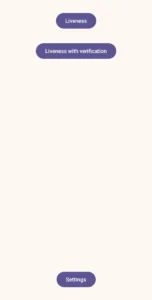
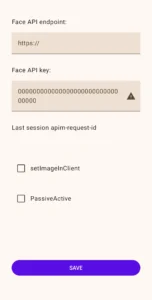
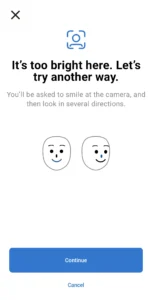
DESCRIPTION
How can you evaluate Microsoft Azure face verification technology using the Azure Vision Liveness Detect APK?
If you are a developer or security professional, you may need to test face detection systems before integrating them into your own platforms. The Azure Vision Liveness Detect application allows you to test and evaluate the effectiveness of Microsoft Azure’s Face Liveness Detection and Verification technology in real-world conditions. By using the Azure Vision Liveness Detect APK, you can assess how the software performs across various environmental factors and configurations to ensure your security needs are met. This specialized application is the primary method to validate the reliability of these systems before full deployment.
What tools does this app provide for testing?
The Azure Vision Liveness Detect app is designed for functional evaluation. It lets you run tests to validate how the system handles different lighting, angles, and environmental variables. Because the app does not have in-app purchases, you can access all testing features once you provide a valid subscription key from the Microsoft Azure portal. This approach helps you understand how the technology behaves before you commit to a full system implementation. You gain deeper insight into the accuracy of the verification process by observing how the software reacts during active scanning sessions. Every test performed using the Azure Vision Liveness Detect APK provides data that can be used to refine your security models.
For those looking to manage digital communications or other productivity tasks, you might also find Google Meet useful for your professional workflow. The app relies on several permissions to function correctly, including camera access to capture face data, internet and network state permissions to communicate with Azure servers, and vibration feedback to signal the completion of testing tasks. You can also explore Bing: Chat with AI & GPT-4 if you require advanced AI assistance for your research projects. These tools, combined with the Azure Vision Liveness Detect utility, help you maintain a high standard for your technical environment.
How do you get started with the app?
To begin using Azure Vision Liveness Detect, download and install the APK on your device running Android 8.0 or higher. Upon launching the app, you must enter a valid subscription key obtained from the Microsoft Azure portal. The application is entirely free to use, as it does not include any in-app purchases or hidden transaction requirements. This makes it a focused utility for those needing to verify the accuracy of face identification systems in a professional capacity. Ensure your device has a working camera, as it is essential for the liveness detection process. The app requires several specific permissions, including camera, internet, network state, and vibration, to ensure that the verification process functions as intended during your evaluation sessions.
Strengths and limitations of the app
Strengths:
- Direct access to Microsoft Azure face verification testing tools.
- No in-app purchases or hidden costs.
- Useful for developers and security professionals to audit system performance.
- Quick integration testing for enterprise security needs.
- Allows assessment of technology in various real-world environmental conditions.
Limitations:
- Requires an external subscription key from the Microsoft Azure portal.
- Limited to testing and evaluation purposes only.
- Requires multiple permissions, including camera and network access for proper functionality.
- Requires an active internet connection to process verification data.
- Not intended for general consumer use outside of development and security testing.
Who should use this application?
This app is ideal for developers, security engineers, and organizations that are currently planning or maintaining systems with face verification features. If you are not involved in software integration or security auditing, this tool will likely not serve a purpose for your daily device usage. It is a specialized, technical utility for specific enterprise-level evaluation and performance auditing. By using the Azure Vision Liveness Detect APK, professionals can feel confident in the security standards they implement for their own software applications.
Is Azure Vision Liveness Detect free to use?
Yes, the app is free to use. There are no in-app purchases or paid tiers within the interface.
What is the minimum Android version required?
You need a device running Android 8.0 or higher to install and run the application.
Does it work without an internet connection?
No, the app requires internet and network state permissions to communicate with Azure services for verification and testing.
