

Calendar - Agenda Planner 3.2
Glad Appvestor
November 22, 2026
30.0 MB
3.2
calendar.agenda.planner.pro
RELATED APPS






SCREENSHOTS
DESCRIPTION
Manage Your Time with Calendar – Agenda Planner APK
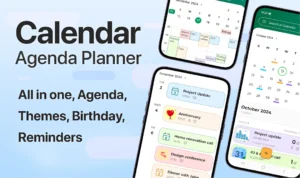
Calendar – Agenda Planner is a productivity tool developed by Glad Appvestor designed to help you keep track of meetings, appointments, and personal deadlines. By centralizing your tasks into a clear, structured timeline, the app helps you stay focused and prevents you from forgetting important commitments throughout your day. When you download the Calendar – Agenda Planner APK, you gain a versatile tool that turns a chaotic schedule into a manageable list of tasks.
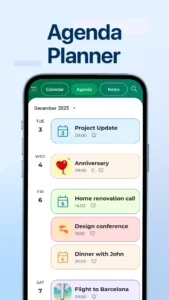
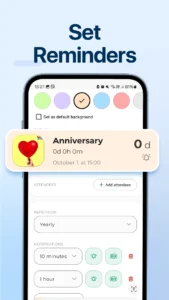
The core of the experience is a daily planner view that lists your events in chronological order. You can easily switch between calendar, agenda, and note views using the navigation at the top of the interface. To add a new item, simply tap the plus symbol to create an entry. The app allows you to attach a custom reminder to any event, which notifies you minutes, hours, or days in advance. This ensures you remain on schedule for business tasks or personal errands. Managing your time becomes easier when every commitment is clearly displayed in a unified timeline.
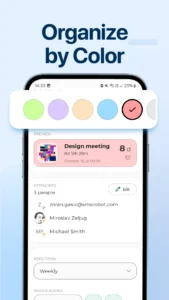
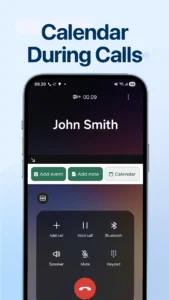
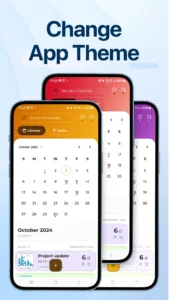
One unique feature is the in-call shortcut, which allows you to access your calendar directly while you are on a phone call. This is helpful if you need to schedule online meetings or check your availability without leaving the call screen. You can also color-code your events to distinguish between work, family, or personal plans, making your timeline easier to read at a glance. By color-coding, you visually separate your responsibilities, helping you balance your professional and personal life with confidence. This Calendar – Agenda Planner APK implementation ensures that your most important dates are never lost in a sea of text.
If you need to find an old entry, the integrated search function allows you to locate any schedule item in seconds. This avoids the need to manually scroll through your planner to find specific details. You can also use cloud storage apps to back up any documents or notes you might reference within your daily planning. The app requires several permissions to function, including access to your contacts and existing calendar data to sync your information, as well as network and Wi-Fi state access for connectivity. The latest version offers a performance boost, making the interface feel snappier and more responsive during daily use.
Getting started with this app is a quick process. Once installed, the application requests permissions to read and write your calendar data, which is necessary for syncing your existing schedules. It also requests notification permissions to deliver your smart reminders on time. By using this Calendar – Agenda Planner APK, you are choosing a system that prioritizes clarity and organization, allowing you to manage your daily planner with full confidence.
Strengths and Limitations
Strengths:
- Clear, color-coded interface for easy organization.
- Useful in-call shortcut for quick note-taking.
- Reliable reminder system for every event.
- Fast search functionality for all entries.
Limitations:
- The app is supported by ads.
- Requires multiple permissions to sync calendars and contacts.
- Initial setup requires granting access to calendar and contact data.
Who should install this app?
Calendar – Agenda Planner is ideal for users who need a simple, visual way to manage a busy schedule. If you often struggle to keep track of appointments or want a better way to separate work and personal events, this tool provides a clear structure. Users who prefer to avoid complex, feature-heavy management apps will find this version practical and effective for daily use.
Frequently Asked Questions
Is the app free to use?
Yes, the app is free to download, though it includes ads to support development.
Does it sync with my current data?
Yes, the app features full calendar integration and uses your read/write calendar permissions to sync and manage your existing events.
Can I use this to organize work and school?
Absolutely. You can use color labels to separate different categories of events, such as work, school, and personal, within your planner.
Does it work offline?
The app requires some permissions like internet and network state for certain functions, but it allows you to manage your local calendar and agenda entries as needed.
