

Calendar - Easy Planner 3.9
Glad Appvestor
November 22, 2026
32.0 MB
3.9
com.agenda.events.planner.calendar
RELATED APPS






SCREENSHOTS
DESCRIPTION
Managing Your Daily Schedule with Calendar – Easy Planner APK
Do you often feel overwhelmed by a long list of tasks, appointments, and deadlines? It is common to lose track of important commitments when you do not have a reliable system to organize your time. Calendar – Easy Planner by Glad Appvestor is designed to solve this problem by providing a clear, visual way to manage your agenda. Whether you are a student, a professional, or someone managing family activities, this app helps you stay in control of your day. By using the Calendar – Easy Planner APK, you can centralize all your important dates into one accessible location on your Android device.
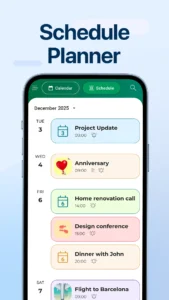
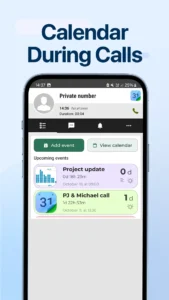
The core of this application is its schedule planner, which allows you to create, edit, and organize events in seconds. Calendar – Easy Planner includes a useful after-call menu, which gives you instant access to your events right after you finish a phone conversation. This makes it simple to schedule a follow-up meeting or add a reminder before you forget the details of your call. The app is built to be a helpful assistant for anyone who needs to keep their life running smoothly.
Key Features for Better Productivity
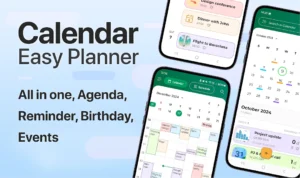
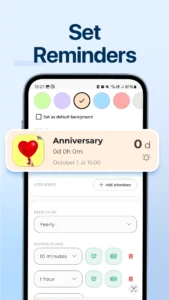
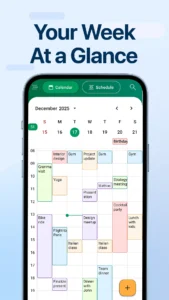
This app provides several tools to simplify your time management. You can set specific calendar reminders so that you never miss a birthday, deadline, or appointment. To help you distinguish between different types of activities, the app allows you to customize your calendar with color-coded events. This visual organization makes it easy to see the difference between work tasks, personal goals, and family gatherings at a glance. When you download the Calendar – Easy Planner APK, you gain access to these organizational tools immediately.
If you have a busy schedule, you can switch between daily, weekly, and monthly views to get the right perspective on your time. You can also use the search function to quickly find any specific scheduled event. If you need to coordinate with others about your plans, you might consider using Google Meet to host meetings that you can track within your calendar. Additionally, if you need to share documents related to your projects, you can use MediaFire to keep your files organized and accessible.
Getting Started and Permissions
To begin using Calendar – Easy Planner, simply download and install the APK. Upon first launch, the app requires several permissions to function correctly. It needs access to your calendar and contacts to read and write events. It also requests access to the internet and network state to sync data, as well as notification permissions to ensure you receive your reminders on time. Other permissions like vibration and wake lock are used to ensure your alerts are delivered effectively. The app also uses ad-related permissions to manage the free, ad-supported experience.
Strengths and Limitations
Strengths:
- Simple and intuitive design for quick event entry.
- Flexible viewing options including daily, weekly, and monthly layouts.
- Color-coding system for better visual organization.
- Convenient after-call screen for immediate event scheduling.
Limitations:
- The app is supported by ads.
- Requires several permissions, including access to contacts and calendar, to function fully.
Who Should Use This App
This application is ideal for anyone who needs an efficient way to track their daily tasks and avoid missing important appointments. It is well-suited for users who prefer a visual, color-coded approach to planning. If you require a complex, enterprise-level project management tool, this app might be too simple for your needs. However, for daily organization, Calendar – Easy Planner provides a solid, accessible solution for busy individuals.
Is the app free to use?
Yes, the app is free to download and use, though it is supported by advertisements.
Can I view my events in different formats?
Yes, the app supports daily, weekly, and monthly views to help you manage your time effectively.
Does it help with scheduling after phone calls?
Yes, the app includes an after-call menu that provides quick access to your calendar so you can add reminders or events immediately after a call ends.
