


RELATED APPS






SCREENSHOTS
DESCRIPTION
Getting Started with the ChatGPT APK
Installing the ChatGPT official app allows you to access OpenAI’s artificial intelligence tools directly on your device. To begin, download the ChatGPT APK file and follow the standard installation prompts on your Android phone. The app is compatible with devices running Android 7.1 or higher. Once installed, you will need to sign in to sync your conversation history across all your devices, ensuring your prompts and responses are always available wherever you go.
Because this app offers extensive functionality, it requires several permissions to operate correctly. It asks for access to your camera, microphone, and location, along with broad permissions covering your calendar, contacts, and even health data. These permissions allow the AI to perform tasks like transcribing handwritten notes, analyzing uploaded photos, or providing specific advice based on your activity. You can choose how much information you share as you interact with the interface.
To ensure the app functions properly, it requests the following permissions:
- Camera and Microphone: Required for photo uploads and Advanced Voice Mode.
- Location Services: Used to provide context-aware information.
- Calendar and Contacts: Allows the assistant to help schedule tasks and manage communications.
- Health Data: Facilitates analysis of activity and wellness metrics.
- Internet and Network State: Essential for real-time communication with OpenAI servers.
If you are looking for other ways to organize your digital life, you might also consider tools like MediaFire for your file storage needs. Similarly, if privacy is your main concern, Proton Drive: Cloud Storage offers another option for managing your data securely on Android.
Key Capabilities and Features
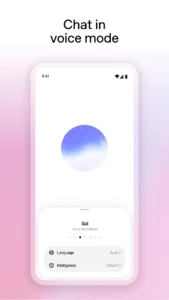
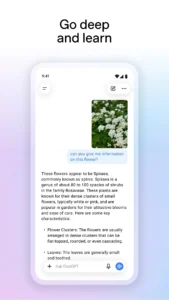
ChatGPT serves as a versatile productivity companion. One of the most popular features is the Advanced Voice Mode, which you can activate by tapping the soundwave icon. This allows for real-time, fluid conversations, making it useful for practicing a new language or settling a quick debate. You can also upload photos to get information about landmarks or have the AI transcribe a handwritten recipe from an image.
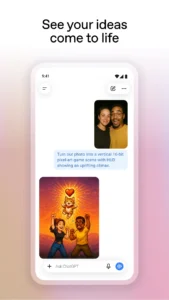
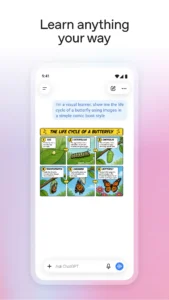
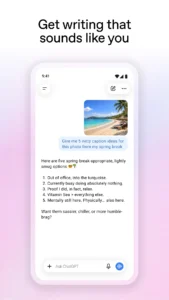
The app includes an image generator that allows you to create original visuals from simple text descriptions. Beyond creative tasks, it provides professional support, such as brainstorming marketing copy or mapping out structured business plans. Whether you need instant answers for cooking with limited ingredients or help crafting a complex email, the AI adapts to your specific requests. Users in specific regions can also utilize screen sharing via Accessibility Services to let the assistant answer questions directly from their screen content.
Key features include:
- Image Generation: Create original images or transform existing ones with text.
- Advanced Voice Mode: Engage in real-time, hands-free conversations.
- Photo Upload: Analyze landmarks or transcribe handwritten documents.
- Professional Assistance: Draft marketing plans and business documents.
- Creative Inspiration: Generate gift ideas or custom greeting cards.
Quick Facts
Benefits and Considerations
The main strength of this app is its ability to centralize multiple AI tools in one free interface. It syncs data across platforms, which is helpful if you switch between your phone and a computer. However, keep in mind that the app is supported by ads and requires a significant list of permissions to function. You should review these permissions carefully during the setup process to understand how the app interacts with your personal data and device sensors.
Frequently Asked Questions
Is ChatGPT free to download and use?
Yes, the app is free to download, though it is supported by ads and offers in-app purchases.
Does this app work offline?
No, ChatGPT requires an active internet connection to communicate with OpenAI’s servers and process your requests.
Which Android versions are supported?
The app is compatible with devices running Android 7.1 or newer.
