


Mesh: Contacts + CRM 2026.2.10
Automattic, Inc
November 23, 2026
190.0 MB
2026.2.10
Android 7.0
sh.me.android
RELATED APPS






SCREENSHOTS

DESCRIPTION
Getting started with the Mesh: Contacts + CRM APK
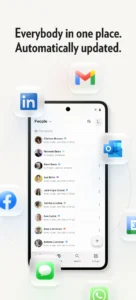
Getting your professional and personal life in order starts with a central, organized hub. Mesh: Contacts + CRM is a sophisticated tool from Automattic, Inc that brings your scattered information into one intuitive place. Instead of juggling spreadsheets, physical notecards, or separate address books, you can use this app to consolidate data from your email, calendar, and social media accounts. Installing the Mesh: Contacts + CRM APK is the first step toward managing your connections with significantly more clarity and efficiency.
To begin, download the APK and grant the necessary system permissions. The app requires access to your contacts to build your initial database, your camera for scanning and digitizing business cards, and your microphone for voice dictation and note-taking. It also uses biometric sensors for secure access and foreground services to keep your data synced across devices. Once you sign in, Mesh: Contacts + CRM automatically builds detailed profiles for your connections, pulling in details like profile photos, bios, work history, location, and social links. This automated setup process turns your previously fragmented address book into a dynamic, searchable, and intelligent database that works for you.
Key features for relationship management
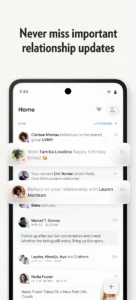
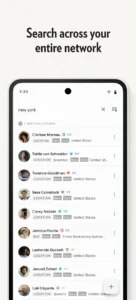
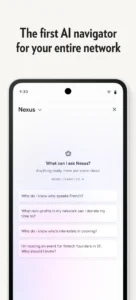
The app offers several powerful ways to stay informed about your network. You can use natural-language search to find people based on where you last met, when you last saw them, or what you specifically talked about. This makes it incredibly easy to recall important details during a conversation. If you need to keep track of specific documents or files, you might also look at MediaFire for additional storage needs. Mesh: Contacts + CRM also provides a Home view that gives you a high-level update on your entire network, such as when someone changes jobs or is mentioned in major print and digital publications.
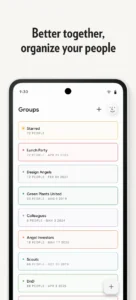
Staying in touch is simpler with built-in reminders and reconnection cadences. You can set alerts for specific days, like birthdays or anniversaries, to ensure you never miss an important date. For users who prioritize deep security, you can consider using Proton Drive: Cloud Storage alongside your contact management tools to keep your private documents safe. The app also allows you to organize people into custom groups, which helps when planning events or categorizing your professional circle for better outreach.
Strengths and limitations
Strengths:
- Automatic enrichment of contact profiles with bios, photos, and social data.
- Powerful natural-language search across your notes, history, and contact list.
- Flexible group organization for both personal and professional networks.
- Ability to digitize business cards for quick data entry.
Limitations:
- Requires several permissions, including camera, microphone, and full contact access.
- The app size is 190.0 MB, which may take up significant storage space on some devices.
- Some advanced features may require a subscription tier.
Who should use this app
This tool is ideal for busy professionals who need a CRM-style experience on their mobile device or anyone looking to consolidate their fragmented address books into one modern, private home. If you often struggle to remember specific details about your contacts or want to maintain consistent follow-ups, this app provides the structure you need. People who prefer a simple, manual, offline-only address book may find the app’s heavy reliance on integrations and cloud syncing unnecessary for their daily workflow.
Is the app free to use?
Yes, the app is free to download and use. It also offers a pro tier for additional features like importing from other services.
Does it work offline?
While the app is designed to sync with your online accounts, it stores data locally for access. However, features like automatic enrichment and social integration require an active network connection to function.
What Android version is required?
You need a device running Android 7.0 or higher to install and run this application.
