


Day One Diary: Daily Journal 2026.23
Automattic, Inc
November 23, 2026
102.6 MB
2026.23
com.dayoneapp.dayone
RELATED APPS





SCREENSHOTS
DESCRIPTION
Capturing Life with Day One Diary: Daily Journal APK
Day One Diary: Daily Journal is a versatile tool designed to help you record your life experiences securely. Whether you want to document your daily thoughts, track your habits, or save memories with photos and videos, this app acts as a private digital space. Developed by Automattic, Inc, it has become a trusted choice for millions of users looking for a reliable way to keep a record of their personal history.
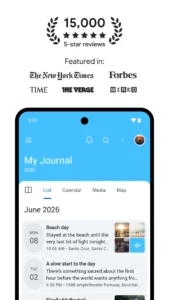
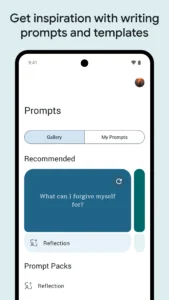
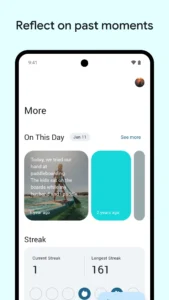
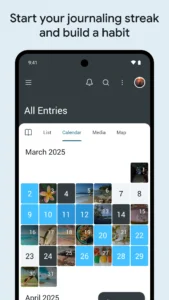
Using Day One Diary: Daily Journal is simple, focusing on making the habit of journaling easier to maintain. The app includes daily prompts to help you get started if you are not sure what to write. You can organize your life into different journals, use rich text formatting, and keep track of your progress with streaks and calendar views. The app even allows you to revisit your past through the On This Day feature, which highlights your memories from previous years.
Key Features for Better Journaling
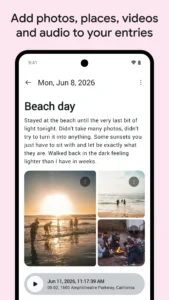
The app provides a wide set of tools for documenting your day. You can add unlimited text entries, which are completely private thanks to end-to-end encryption. For visual storytelling, the app supports adding photos and videos to your entries. If you are busy, you can use voice recordings to capture your thoughts on the go. The Day One Diary: Daily Journal app also automatically tags your entries with metadata like time, date, location, and weather, creating a rich context for every memory you save.
You can use Beeper: Every Chat in One App to manage your communications or explore visual ideas on Pinterest for inspiration. For active users, the integration with services like Strava allows you to pull in your activities automatically. The addition of Wear OS support means you can now create entries directly from your watch, making it even faster to log moments as they happen.
Getting Started
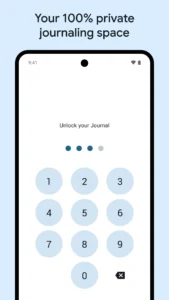
To begin, download the Day One Diary: Daily Journal APK and install it on your Android device. The app requires several permissions to function fully, such as location access to pin your entries to a map and camera access to attach photos. It also uses biometric permissions to ensure your journal remains locked and secure. Once installed, you can sign in to your account to sync your data across platforms, including web, desktop, and mobile devices.
Strengths and Limitations
Strengths
- End-to-end encryption keeps your private thoughts safe.
- Cross-platform support allows access from phone, watch, and computer.
- Automatic metadata tracking adds context to every entry.
- Multiple entry types including text, audio, and video.
Limitations
- Some advanced features like unlimited media and audio recording require a paid subscription.
- The app requires various permissions to enable all features like location and media attachment.
Who Should Use This App
This app is perfect for anyone who wants to build a consistent journaling habit without using pen and paper. It is ideal for people who value privacy and want to ensure their personal data stays protected. If you like to keep your notes organized with tags and map views, you will find the interface very helpful. However, if you are looking for a completely free app without any locked features or premium subscription tiers, this may not be the right choice for you.
Is Day One Diary: Daily Journal free to use?
Yes, there is a free Basic plan that includes unlimited text entries, end-to-end encryption, and standard journaling features. Additional features like unlimited media and advanced syncing are available through paid plans.
Does it work offline?
Yes, you can create entries while offline, and they will sync to your account once you have an internet connection.
Can I use this on my smartwatch?
Yes, the app supports Wear OS, allowing you to create new entries directly from your watch if it is paired with your phone.
