


PlayStation Family 26.11.0
PlayStation Mobile Inc.
November 22, 2026
29.8 MB
26.11.0
Android 8.0
com.playstation.ohana.android
RELATED APPS






SCREENSHOTS
DESCRIPTION
Setting Up PlayStation Family for Parental Control
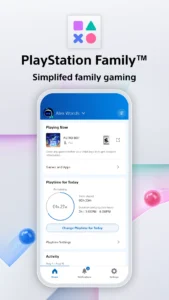
PlayStation Family is a mobile application developed by PlayStation Mobile Inc. that helps parents monitor and manage their children’s gaming activity on PlayStation consoles. By connecting directly to your child’s account, this app allows you to oversee playtime, spending, and social interactions from your smartphone. It is designed to provide a straightforward way to keep track of gaming habits at home or on the go.
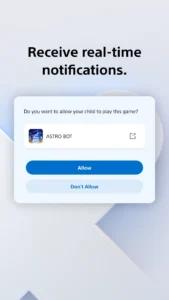
To get started, install the PlayStation Family APK on your Android device running version 8.0 or higher. Upon launch, the app requires several permissions to function, including internet access to sync account data, notification permissions to alert you of playtime requests, and storage access to manage local settings. It also uses foreground services and wake locks to ensure you receive real-time updates without interruptions.
Key Features for Parents
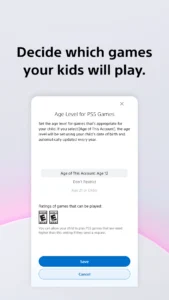
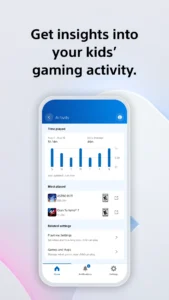
The app provides a central hub for managing your family’s gaming environment. You can set up age-based parental control recommendations to restrict access to inappropriate content. If you enjoy organizing your digital life, you might also find Pinterest useful for gathering ideas for family activities. The app’s activity reports give you a clear view of what games are being played and how many hours have been logged over the past week.
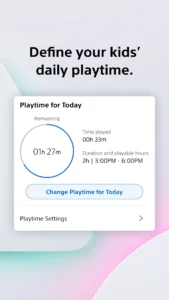
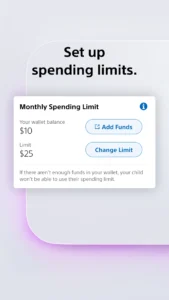
Customizable playtime limits are a core benefit of the application. You can define specific hours when gaming is allowed, helping you balance screen time with homework and meals. Furthermore, you can manage your child’s monthly spending limits and view your wallet balance directly. If your child is interested in creative writing or personal reflection, consider looking at My Diary – Daily Diary Journal as an alternative lifestyle tool.
Quick Facts
Strengths and Limitations
The strengths of using PlayStation Family include its ability to provide real-time notifications for playtime requests and its simple interface for setting spending limits. However, there are some limitations to consider. Not all features are available on every console, as some are specific to PS4 or PS5. Additionally, the app requires several system permissions to maintain its connection to your child’s console.
Who Should Use This App
This app is ideal for parents who own a PlayStation console and want to actively manage their child’s gaming experience. It is not suitable for those who do not have a PlayStation Network account or those who prefer not to use a smartphone for managing console settings.
Frequently Asked Questions
Is the PlayStation Family app free?
Yes, the app is free to download and use.
Does this app work offline?
No, it requires an active internet connection to sync activity reports and send notifications to your phone.
Which Android version is required?
You need an Android device running version 8.0 or higher to install PlayStation Family.
