

Chrome Remote Desktop TWA 1.5.2
Google LLC
November 22, 2026
2.0 MB
TWA 1.5.2
com.google.chromeremotedesktop
RELATED APPS





SCREENSHOTS
DESCRIPTION
Setting Up Your Chrome Remote Desktop APK
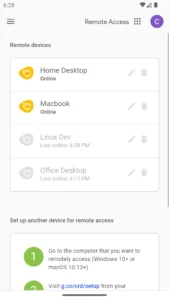
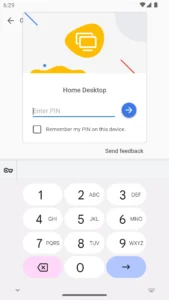
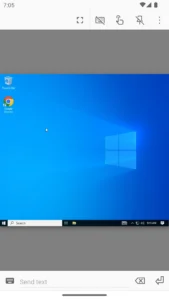
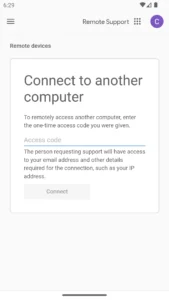
Getting started with Chrome Remote Desktop is a simple process that links your mobile device to your home or office computers. To begin, you must first configure remote access on the computer you wish to control by visiting the Chrome Web Store on your desktop. Once you have established the connection on your host machine, you simply open the Chrome Remote Desktop app on your Android device. Tapping on any of your online computers triggers the secure link, allowing you to view and control your desktop from anywhere. Installing the Chrome Remote Desktop APK provides a reliable way to maintain control of your PC without being physically present.
Core Features for Remote Management
The primary function of this application is to provide a reliable bridge between your mobile hardware and your computer. Chrome Remote Desktop enables you to access your files and software remotely without needing to be physically present at your desk. It uses Google’s secure infrastructure to ensure that your connection remains private during your session. You can manage multiple machines by setting them up through the web portal, which then appear as a list inside the Android interface for quick selection.
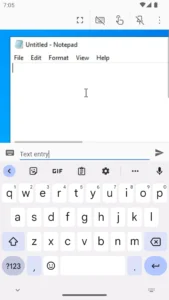
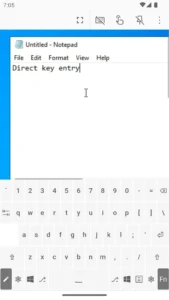
While this tool is essential for remote work, you might also find that organizing your files locally becomes easier with ZArchiver Pro Donate, which handles various archive formats on your device. Furthermore, if you are looking to run specific desktop environments like Minecraft Java: PojavLauncher, having reliable remote access allows you to manage those installations even when you are away from your main rig. The Chrome Remote Desktop app focuses entirely on screen streaming and input control to make this possible.
Quick Facts
Strengths and Limitations
Strengths:
- Completely free to use for all personal and professional remote access tasks.
- Lightweight installation at only 2.0 MB.
- Direct integration with your existing Google account for simplified setup.
Limitations:
- Requires an initial configuration on the host computer via a web browser.
- The user interface is functional but basic, focusing purely on connectivity.
Who Should Use This App
This tool is ideal for users who frequently need to check files on their home computer or provide remote assistance to family members. If you value a free, official solution from Google that avoids complex network configurations, this is a suitable choice. However, if you require advanced features like complex multi-monitor management or high-end peripheral support, you may find the experience limited. Many professionals choose this for its reliability and direct link to their existing Google ecosystem.
Is Chrome Remote Desktop free?
Yes, the app is free to download and use for all your remote access needs.
Does this app work offline?
No, an active internet connection is required on both the Android device and the host computer to establish and maintain a remote session.
Which Android version do I need?
The app is compatible with various Android devices, though specific minimum version requirements are not listed by the developer.
