

DJ Mix Studio - DJ Music Mixer 2.6.2
Litter Penguin
November 26, 2026
39.8 MB
2.6.2
Android 6.0
dj.music.djing.remix.song
RELATED APPS






SCREENSHOTS
DESCRIPTION
Can you really mix music on your Android phone using the DJ Mix Studio – DJ Music Mixer APK?
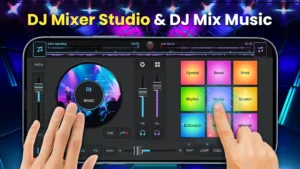
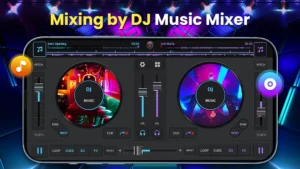
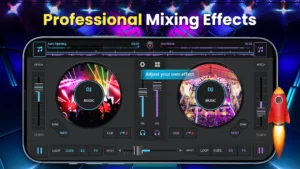
If you have ever wanted to learn the skills of a disc jockey without buying expensive hardware, DJ Mix Studio – DJ Music Mixer offers a portable alternative. Developed by Litter Penguin, this app turns your mobile device into a virtual DJ console. It provides the tools necessary to mix your favorite tracks, add sound effects, and practice your beat-matching skills anywhere you go. With this app, you can transform your device into a real DJ setup and stretch the limits of mobile mixing.
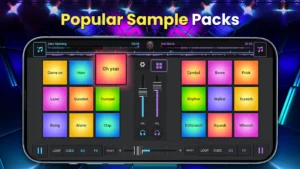
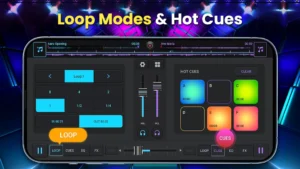
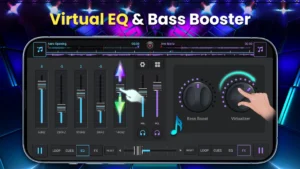
The app includes professional features like a real crossfader, two virtual turntables, and a 5-gear equalizer. DJ Mix Studio – DJ Music Mixer also features 28 built-in sample packs, including drums, gunshots, and scratching sounds, to help you create unique mixes. With 14 loop modes and bass boost capabilities, you have plenty of control over your audio output. The low-latency engine ensures that the music reacts instantly to your actions, providing a responsive experience for every user.
Getting started is simple once you download the DJ Mix Studio – DJ Music Mixer APK. The app requires several permissions to function, including access to your media files to load your songs, microphone access for recording, and network access to manage ad services. It is designed to work on devices running Android 6.0 or higher. You must grant permissions for storage and media access to allow the app to scan and retrieve your music files from your phone.
When using the app, you will find a user-friendly interface with large buttons optimized for smaller screens. The software allows you to synchronize beats automatically so that your tracks stay in phase. You can check your progress using parallel waveforms, which help you visualize the timing and transitions of your music. You can also quickly move between different locations of your song using the 6 hot cues provided. If you are looking for other audio tools, you can try Meulify for your library or Sound Assistant to manage your device volume settings.
The app is free to use but contains advertisements. You can find more details about various mobile tools at whats.download to help you get the most out of your device. Because it is a handheld controller, you do not need a computer or extra cables to perform for friends or practice your transitions. The interface is designed to be intuitive, making it accessible for users of all ages who want to explore the world of DJing.
Key features for your mixes
- Real crossfader with two virtual turntables for manual mixing.
- 5-gear EQ adjustment ranging from 60 Hz to 14 Hz.
- 14 loop modes ranging from 1/64 beat to 128 beats.
- Automatic BPM synchronization to keep tracks in phase.
- Bass boost and volume amplifier for powerful audio energy.
Strengths and limitations
- Professional features like BPM synchronization and hot cues.
- Portable design that simulates a realistic DJ console.
- Includes ads and requires various system permissions.
- Requires storage access to retrieve your personal music files.
Who should install this app?
This application is ideal for beginners who want to learn how to mix music and for those who enjoy creating their own remixes on the go. If you are a professional DJ looking for a practice tool that does not require heavy equipment, this app is a convenient choice. However, if you prefer an ad-free experience or need advanced studio-grade production tools, you may find the mobile limitations restrictive.
Is the app free to use?
Yes, the app is free to download and use. It includes advertisements and offers in-app purchases.
Does it work offline?
You can use the mixing features to play files stored on your device, but the app requires network access for its ad services.
Which Android version do I need?
You must have Android 6.0 or higher installed on your device to run the app.
