


Equalizer- Bass Booster&Volume 3.0.5
Litter Penguin
November 26, 2026
20.7 MB
3.0.5
Android 6.0
music.audio.bass.booster.equalizer
RELATED APPS




SCREENSHOTS
DESCRIPTION
Setting up the Equalizer- Bass Booster&Volume APK
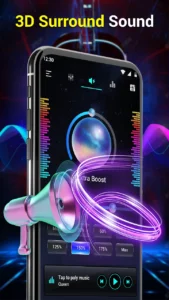
To improve your device sound quality, the Equalizer- Bass Booster&Volume APK acts as a comprehensive audio management tool. Developed by Litter Penguin, this app provides precise control over volume, bass, and 3D virtualizer effects. When you first launch the app, it requests several permissions, including access to storage, record audio, and system audio settings, to function correctly. It operates as a foreground service to ensure your sound adjustments remain active while you use other apps or listen to music in the background, keeping your audio settings steady. This setup ensures that your custom audio profile persists even if you navigate away from the main interface.
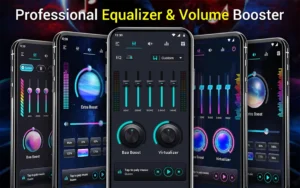
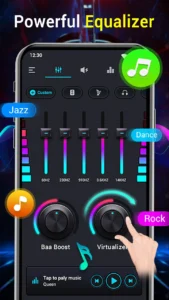
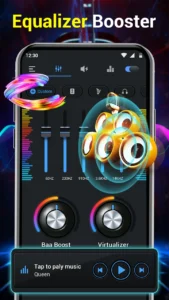
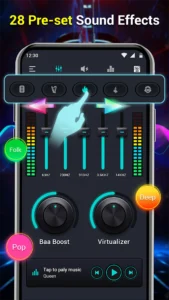
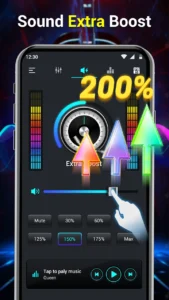
The core functionality centers on a frequency equalizer that offers 5 bands for older Android versions or 10 bands for devices running Android 10 and higher. You can choose from 28 pre-configured presets like Rock, Jazz, or Hip Hop to match your musical preferences. If you prefer manual control, you can create and save your own custom presets for specific listening scenarios. For those who need louder sound, the app includes a volume booster capable of increasing output by up to 200%. This is useful for music, videos, and game audio across various hardware, including speakers, Bluetooth devices, and headphones.
Users who enjoy customizing their interface will find 12 high-quality themes and edge lighting effects to match their style. The app also integrates with your home screen through widgets, allowing you to control media playback and sound settings without opening the main interface. You might explore Meulify if you are looking for a dedicated audio streaming experience, or try Sound Assistant for advanced per-app volume management. Make sure to browse our best apk sites collection to find more tools for your device. The app provides a visual spectrum display and keeps your audio experience consistent across different players, effectively managing your media volume with a single tap.
Because Equalizer- Bass Booster&Volume relies on system-level audio modifications, it requires specific permissions like system alert windows and notification access to operate properly. It is a free app that includes advertisements to support its development. While it works with most pop music players, ensure your device runs at least Android 6.0 for full compatibility. The latest version, 3.0.5, includes performance optimizations to keep playback fluent on your phone or tablet. By using the widget or notification bar, you can toggle effects without constantly returning to the main menu. The app is built to be lightweight while providing powerful signal processing for all your media needs.
Strengths and Limitations
- Offers a wide range of sound customization including 3D virtualization and bass boosting.
- Includes 28 built-in presets and support for custom user settings.
- Provides convenient control widgets and notification bar integration for Equalizer- Bass Booster&Volume.
- Supports various playback devices such as Bluetooth, headphones, and external speakers.
- Features a modern 10-band equalizer for devices running Android 10 and above.
- Allows for quick volume adjustments to 40%, 60%, 80%, or maximum levels.
- Contains advertisements as part of its free model.
- Requires several system-level permissions to run effectively in the background.
- Larger file size of 20.7 MB may be a consideration for some users.
Frequently Asked Questions
Is Equalizer- Bass Booster&Volume free to use?
Yes, the app is free to download and use, though it includes advertisements to support the developer.
Does it work offline?
The app enhances audio for local media and other apps on your device, so it functions without needing a constant internet connection to process audio effects.
What is the minimum Android version required?
You need to have at least Android 6.0 installed on your device to run this application.
Can I boost sound for games?
Yes, the volume booster is designed to increase audio output for all media, including games, videos, and music.
Key Technical Information
