

Music Player: Play Music, MP3 1.5.0
Litter Penguin
November 26, 2026
16.2 MB
1.5.0
music.equalizer.lyric.musicplayer
RELATED APPS



SCREENSHOTS
DESCRIPTION
Organize and Enhance Your Local Music Library with Music Player: Play Music, MP3 APK
Managing a large collection of audio files on your smartphone can quickly become frustrating. If you struggle to find specific tracks or are unhappy with the default sound output, Music Player: Play Music, MP3 by Litter Penguin offers a solution. This Music Player: Play Music, MP3 APK is designed to help you scan, sort, and play your local audio files with professional-grade sound customization. With its ability to handle various formats and provide detailed playback control, it aims to replace basic system players.
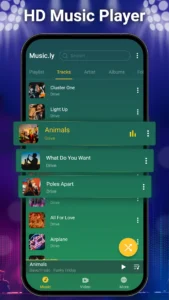
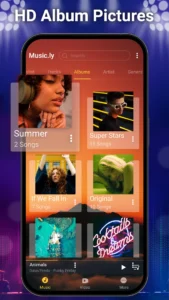
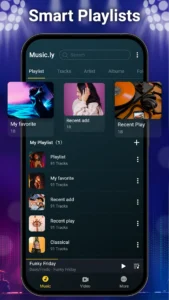
The app automatically scans your device to find songs, filtering them by duration so you can ignore small system files. Once your library is imported, it organizes your tracks by album, artist, and genre. This makes it much easier to browse your collection compared to searching through raw folder directories. If you want to find more tools for your mobile device, you can explore our game apk download page for additional utilities.
Features for Professional Audio Control
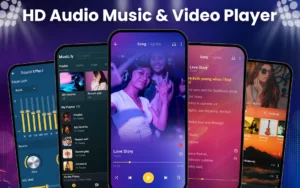
The core of this application is its ten-segment equalizer, which ranges from 31 Hz to 16 kHz. You can choose from over 23 presets, such as Classical, Dance, or Heavy Metal, to match your listening preference. For those who want more control, the app provides bass boost, reverb, and a virtualizer effect. It even includes a volume booster that allows you to push audio levels up to 200% for a louder experience. The app also supports 3D surround sound and left-right channel balancing.
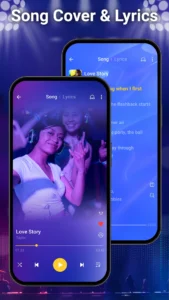
Beyond playback, Music Player: Play Music, MP3 includes a built-in ringtone cutter, letting you trim audio files to create custom clips. The app also features an intelligent lyric system that attempts to match lyrics to your songs online and allows you to edit lyric styles. If you are looking for other ways to stream or organize your audio, you might consider trying Meulify for a different interface experience. If you need advanced volume management tools, Sound Assistant provides additional audio configuration options.
Getting Started and Permissions
To begin, install the Music Player: Play Music, MP3 package. Upon launch, the app requires several permissions to function correctly. It needs access to your local storage to read audio and video files. The app also requests Bluetooth and audio settings permissions to ensure it works correctly with your wired or wireless headphones. Because the app is supported by ads, it uses network state and ad-specific identifiers to manage those placements. It also uses foreground services to ensure your music continues playing smoothly even when you switch to other apps.
Quick Facts
Strengths and Limitations
Strengths:
- Comprehensive ten-band equalizer with over 23 presets.
- Supports a wide range of formats including MP3, FLAC, AAC, WAV, and even video files.
- Automatic organization of library by artist, album, and folder.
- Integrated tools like a ringtone cutter, sleep timer, and ID3 tag editor.
Limitations:
- The app is supported by advertisements.
- Requires numerous permissions, including storage and Bluetooth access.
- It is a local player and does not provide cloud music streaming services.
Who Should Use This App?
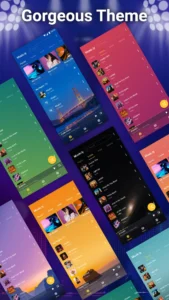
This player is ideal for users who store their own music files locally and want a way to fine-tune the sound output. It is a great choice if you prefer a dedicated equalizer and want to customize your playback experience with themes and widgets. If you strictly use cloud-based streaming services, you may not find the library management features necessary. The interface is designed for those who want quick access to their audio files and clear, high-fidelity sound.
Is this app free to use?
Yes, it is free to download and use, though it includes ads within the interface.
Does it work offline?
Yes, this is primarily a local music player, meaning it plays the files stored directly on your device without needing an active internet connection for standard playback.
Can I edit track information?
Yes, the app includes an ID3 tag editor that allows you to change song titles, artist names, and album cover art.
