

Gmail Go
RELATED APPS






SCREENSHOTS
DESCRIPTION
Why Choose the Gmail Go APK for Your Emails?
Managing an overflowing inbox can be frustrating when your email application is sluggish or consumes too much data. The Gmail Go APK is designed by Google Commerce Ltd to provide a lighter, faster experience for your communication needs while retaining the core features you rely on. It ensures that you stay organized and receive your messages without heavy performance demands on your device. By choosing this version, you gain the primary benefits of Google’s email ecosystem in a more compact package, perfect for keeping your communication efficient and your device performance stable. This application brings the familiar reliability of Gmail to devices where storage and data efficiency are top priorities, ensuring that your daily communication remains seamless and responsive throughout the day.
Core Features of Gmail Go
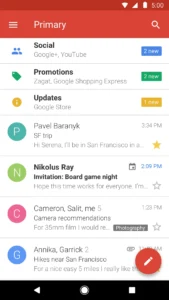
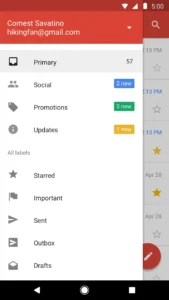
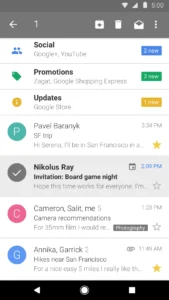
This application simplifies your digital life by categorizing incoming mail automatically. It prioritizes messages from friends and family, keeping social and promotional emails in separate tabs so they do not distract you. By blocking spam before it reaches your inbox, Gmail Go keeps your account clutter-free and secure, saving you the time of manual deletion. You can manage multiple email addresses easily, including Gmail and non-Gmail accounts like Yahoo Mail or Outlook.com. With 15GB of free storage provided, you rarely need to worry about clearing space for new messages. If you prefer alternative communication tools, you might also consider Telegram for your messaging needs. The app allows you to read and respond to emails both online and offline, ensuring you stay productive even without a stable data connection. Furthermore, the intuitive design makes attaching and sharing files simple, allowing you to handle documents and images directly from your mobile device with minimal effort.
Getting Started with Your Inbox
To begin, download the Gmail Go package and sign in with your Google account. The setup process is simple and allows you to add secondary email addresses immediately. Once signed in, the interface provides quick access to your folders and search tools. You can also use Google Chrome: Fast & Secure to manage your web-based email tasks if you require a full browser experience alongside your mail client. The application is built to be intuitive, ensuring that you can attach files and share documents without searching through complicated menus. Its primary goal is to provide a fast environment that helps you focus on your tasks. The search functionality is particularly powerful, letting you locate older messages or specific threads in seconds, which is a major advantage for users who receive a high volume of mail daily.
Quick Facts
Strengths and Limitations
Strengths:
- Automatic spam filtering keeps your inbox clean.
- Supports multiple email providers, including IMAP and POP.
- Optimized for faster performance on various Android devices.
- Provides 15GB of free storage for your messages.
- Easy to use interface for quick navigation.
Limitations:
- The app includes advertisements.
- Requires a Google account for full functionality.
Who Should Use This App?
If you want a reliable email client that performs well on limited hardware, this is an excellent choice. It is ideal for users who manage multiple accounts in one place. However, if you require advanced features or specific power-user settings not found in a lite version, you may prefer the standard version of the mail app. The Gmail Go APK remains a top choice for those who value speed and simplicity in their daily communication. Whether you are a student, a professional, or someone who just wants a clean inbox, this application provides the essential tools to stay connected.
Is Gmail Go free to use?
Yes, the app is free to use and includes 15GB of storage, though it does contain advertisements.
Can I use this app without an internet connection?
Yes, you can read and respond to your messages while offline, and your actions will sync once you are back online.
Does this app work with non-Gmail accounts?
Yes, Gmail Go supports Outlook.com, Yahoo Mail, and other IMAP or POP email services.
