


GoCut - Effect Video Editor 3.0.4
Like GoCut
November 22, 2026
89.6 MB
3.0.4
Android 5.0
com.videoedit.gocut
RELATED APPS



SCREENSHOTS
DESCRIPTION
Get Started with the GoCut – Effect Video Editor APK
Editing high-quality videos often feels like a difficult task requiring expensive software. If you struggle to add professional motion effects or smooth transitions to your clips, the GoCut – Effect Video Editor APK offers a powerful set of tools designed for creators. This application allows you to transform standard mobile footage into stylish masterpieces using intuitive features created for users of all levels. Whether you are a beginner or someone with more experience, this tool helps you achieve a professional look.
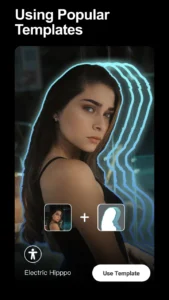
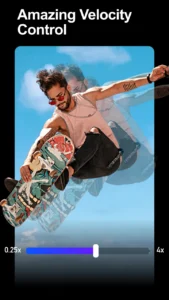
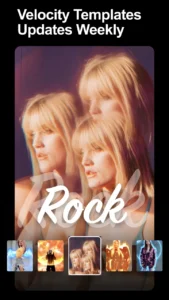
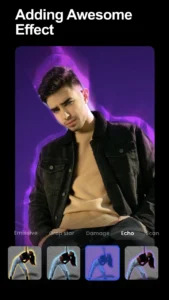
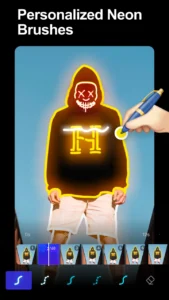
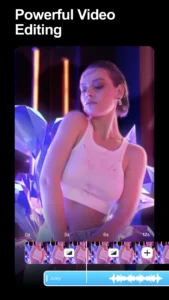
With GoCut – Effect Video Editor, you get access to a massive library of over 1,000 velocity templates. These templates automate the complex timing and motion adjustments usually required for high-energy edits. Whether you want to add glowing lines, VHS filters, or glitch effects, the app provides a powerful set of tools to customize your visuals frame by frame. You can even use the neon brush feature to draw animations directly onto your images or video clips, adding a unique personal touch to your projects. The app makes it easy to add neon stickers, hearts, wings, and other graffiti effects to make your content stand out. This level of creative control ensures that every project you undertake can look distinct and vibrant.
Beyond its special effects, the app functions as a complete video production suite. You can cut, merge, reverse, copy, and paste clips on a multi-layer timeline to manage complex edits. If you are looking for other ways to manage your video content, you might also consider YouTube Go: Discontinued to understand how different video tools handle file management. The app also allows for precise audio control, letting you add curated music or your own sound effects to match the visual rhythm of your edits. You can adjust the music volume to ensure it fits your video project in the way you intend. This makes it a versatile tool for both short-form social media content and longer creative projects.
Getting started with this video editor is easy. After installing the app, you will need to grant permissions for media access so it can read your photos and videos. It also requires network access for downloading new templates and background services to ensure smooth processing. You can export your final creations in resolutions up to 4K, ensuring your content looks sharp on any screen. For those who frequently watch online content alongside their editing work, tools like Pure Tuber: YouTube Client offer a different approach to video consumption on Android. The GoCut – Effect Video Editor is built to handle multiple layers, which means you can easily overlay pictures or clips to add depth to your video production.
Strengths and Limitations
- Access to over 1,000 velocity templates for quick editing.
- Powerful multi-layer editing and neon brush tools.
- Supports high-quality exports up to 4K resolution.
- Includes in-app purchases and subscription options.
- Requires multiple permissions to access media and network status.
System Requirements and Permissions
The application requires media permissions to read audio, images, and video files from your device. It also needs internet and Wi-Fi state permissions to download templates and assets. Billing permissions are included for optional subscription services, and notification permissions help keep you updated on new features and project tasks.
Who Should Use This App?
This app is ideal for social media creators who want to produce aesthetic, effect-heavy videos without learning complex desktop software. It is well-suited for users who enjoy adding neon stickers, glow effects, and rhythm-based transitions to their mobile content. If you prefer simple, non-edited video playback, this tool might be more than what you need.
Frequently Asked Questions
Is GoCut – Effect Video Editor free to use?
Yes, the app is free to download and use, though it offers subscription plans for additional features.
Does it work offline?
While you can perform basic editing offline, you need an active internet connection to download new velocity templates and effects.
Can I export my videos in 4K?
Yes, the app supports video export in 720p, Full HD 1080p, and 4K resolutions.
