

Loklok:Player&Series 4.4.5
Easevibe Dev
November 23, 2026
51.3 MB
4.4.5
Android 7.0
com.jupie.eddy
RELATED APPS


SCREENSHOTS

DESCRIPTION
Getting Started with Loklok:Player&Series APK
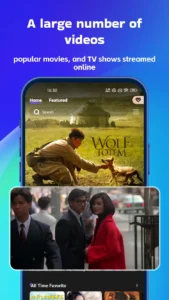
Loklok:Player&Series is a versatile video entertainment application developed by Easevibe Dev. It serves as a centralized hub where you can explore a wide variety of movies, television series, and short dramas. If you are looking for a reliable way to discover trending content and manage your viewing habits, the Loklok:Player&Series APK provides a clean, user-friendly interface. It is designed to make the process of finding new entertainment accessible for all types of users. By organizing content into clear categories, the app helps you locate what you want to watch without unnecessary confusion.
Core Features for Your Viewing Experience
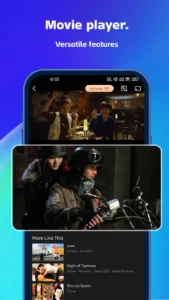
The app offers several tools to help you manage how you watch media. You can browse through various genres or use the smart search function to locate specific titles quickly. Loklok:Player&Series also provides personalized recommendations that update based on your viewing history, ensuring you find new titles that match your personal preferences. These features are designed to keep your discovery process enjoyable and consistent every time you open the app.
If you find a show or movie you like, you can save content for later. This allows you to organize your watchlist and return to your selected videos whenever you have time, depending on your network conditions. The app is built to focus on simplicity and performance, making it a stable environment for streaming whether you are at home or on the move. If you are looking for other ways to manage your video library, you might consider YouTube Go: Discontinued for lightweight viewing, or try Pure Tuber: YouTube Client for alternative playback options.
Installation and Device Requirements
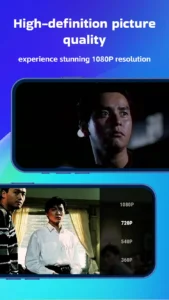
To begin using Loklok:Player&Series, ensure your device runs Android 7.0 or higher. The installation process is standard for an Android application. Once installed, the app requests a wide range of permissions to facilitate its features. These include access to your camera, microphone, calendar, and external storage. The app uses these to handle media playback, save content to your device storage, manage audio settings, and detect screen recording activities. It also requires network-related permissions to ensure smooth streaming performance and to manage ad services. Please be aware that the app also requests location and Bluetooth access to support its internal features and service connectivity.
Strengths and Limitations
Strengths:
- Easy navigation through categories and genres.
- Personalized suggestions based on your history.
- Quick keyword search for specific titles.
- Wide selection of movies, series, and short dramas.
- Stable interface for streaming content.
Limitations:
- The app includes advertisements.
- Requires a large list of permissions to function.
- Content availability may depend on your network connection.
- The file size is 51.3 MB, which you should consider for storage space.
- Requires Android 7.0 or higher for full compatibility.
Quick Facts
Frequently Asked Questions
Is Loklok:Player&Series free to use?
Yes, the app is free to download and use, though it does include advertisements within the interface.
Does it work on older Android devices?
The app requires Android 7.0 or higher to function properly. Devices running older versions of the operating system will not be compatible.
Can I watch videos offline?
The app is primarily designed for online viewing. While you can save content for convenient access later, the ability to view it is subject to your network conditions.
