


Alight Motion 5.0.273.1028425
Alight Motion
November 22, 2026
191.1 MB
5.0.273.1028425
Android 7.0
com.alightcreative.motion
RELATED APPS





SCREENSHOTS
DESCRIPTION
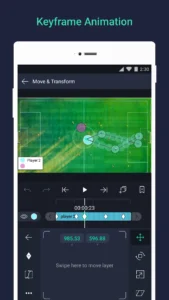
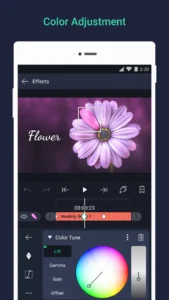
Creating professional-quality animations and complex visual effects on a mobile device is a challenge for many content creators. The Alight Motion APK offers a suite of tools that brings motion graphics and video compositing directly to your phone. By providing a platform for layering graphics, video, and audio, it helps you manage sophisticated projects without needing a desktop computer. This app provides the creative freedom to design custom animations using keyframe tools and advanced effects, making the Alight Motion APK a powerful choice for mobile artists.
Key Features of the Alight Motion APK
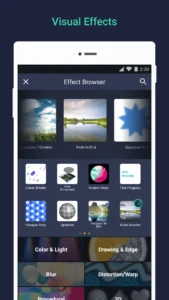
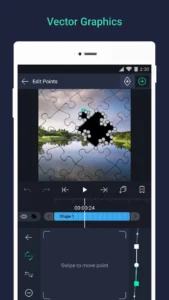
The app includes over 160 basic effect building blocks that you can combine for unique results. You can use vector and bitmap support to edit graphics directly within the interface. Alight Motion also features camera tools that support panning, zooming, focus blur, and fog, giving your projects a cinematic look. To ensure your movement looks natural, the app provides animation easing, allowing you to choose from presets or create your own custom timing curves. You can even save your favorite elements for easy re-use in future projects, which saves time when working on recurring series.
For those who need to manage complex projects, the software allows you to group layers together and create masks. You can also link parent and child layers to rig character joints, which is helpful for character animation. If you need to produce content quickly, you might consider how it compares to tools like YouTube Go: Discontinued, which focused on efficient media consumption rather than creation. When you are finished, you can export your work as MP4 video, GIF animations, or PNG sequences. The Alight Motion APK also allows you to share project packages with others, making collaboration easier for teams.
Getting Started and Permissions
To begin using the app, ensure your device has at least 1.5GB of RAM and runs Android 7.0 or higher. During installation, the app requests several permissions to function correctly. It needs access to your media files, including audio, images, and video, to import content into your projects. It also uses network state and Wi-Fi status to manage data and connectivity. Other permissions, such as vibration and wake lock, help the app maintain performance during rendering tasks. The app also uses specific ad service permissions to manage its ad-supported model.
If you prefer a different workflow for your mobile media, you could explore Pure Tuber: YouTube Client to manage your video viewing experience. Alight Motion is free to use with basic features, though exported videos will include a watermark. You can choose to purchase a paid membership to remove the watermark and gain access to an expanded library of premium effects. This membership also includes access to regularly updated features, helping you keep your content fresh.
Quick Facts
Strengths and Limitations
Strengths:
- Provides professional-grade keyframe animation on mobile.
- Supports both vector and bitmap graphic editing.
- Offers a large library of over 160 visual effects.
- Includes advanced tools like camera panning, masking, and character rigging.
Limitations:
- Free version includes a watermark on exported videos.
- Requires at least 1.5GB of RAM to run effectively.
- Contains ads and requires in-app purchases for premium features.
Frequently Asked Questions
Is Alight Motion free to use?
Yes, it is free to use with basic features. However, exported videos will have a watermark, and some advanced effects require a paid membership.
What are the minimum system requirements?
The app requires an Android device running version 7.0 or higher with at least 1.5GB of available RAM to function properly.
Does it support custom fonts?
Yes, the app includes support for adding text using custom fonts, allowing for more personalized designs.
How can I remove the watermark?
You can remove the watermark by purchasing a paid membership subscription through the app, which also unlocks premium features.
