


YouTube Studio 26.46.000
Google LLC
November 22, 2026
53.2 MB
26.46.000
com.google.android.apps.youtube.creator
RELATED APPS






SCREENSHOTS
DESCRIPTION
Setting Up the YouTube Studio APK for Your Channel
Managing your video content is easier when you have the right tools on your mobile device. The YouTube Studio APK is the official application from Google Commerce Ltd designed to help creators monitor their channel performance and connect with their audience. By installing the YouTube Studio APK, you gain a mobile-first interface to track your growth and handle essential administrative tasks directly from your phone. This app is the primary way for creators to stay updated on their channel health while on the move.
To get started, simply download the YouTube Studio installer and launch it on your Android device. You will need to sign in using the Google account associated with your YouTube channel. The app requires several permissions to function, including access to your camera and microphone for content management, network state detection for real-time updates, and notification settings to keep you informed about channel activity. Other permissions include foreground service access and wake locks to ensure the app maintains a connection. Once you grant these permissions, the app connects to your data to provide a comprehensive look at your channel metrics.
Key Features for Creators
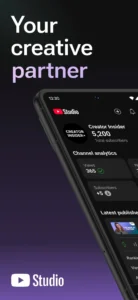
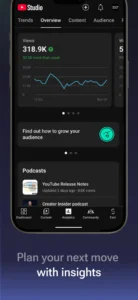
The latest version of YouTube Studio offers a redesigned dashboard that puts your most important performance data front and center. You can quickly see how your latest videos, Shorts, and livestreams are performing without needing to access a desktop computer. The detailed analytics tab allows you to examine viewer behavior in detail, helping you understand which content resonates best with your community. If you are looking for alternative ways to consume video content, you might consider checking out YouTube Go: Discontinued, which previously focused on offline viewing for users with limited data.
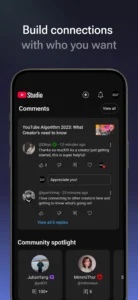
Another powerful feature is the built-in system that performs automatic checks on your videos. Before you finalize an upload, the app screens your content for potential copyright violations or monetization issues. This helps you resolve problems early so you can focus on growing your channel. You can also manage your community by sorting and filtering comments, ensuring you never miss important conversations. For those interested in third-party clients, tools like Pure Tuber: YouTube Client offer different playback features for Android users.
Understanding the YouTube Studio APK Analytics
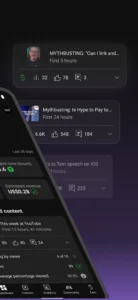
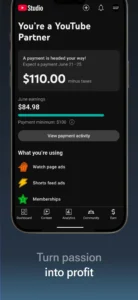
The core of the YouTube Studio APK experience lies in its data reporting. By using the app, you gain access to the same metrics available on the desktop site, including watch time, subscriber growth, and individual video performance. You can view data for specific content types, helping you distinguish between the reach of your Shorts versus long-form videos. This allows for informed decision-making regarding your future content strategy. By applying for the YouTube Partner Program directly through the app, you can start your journey toward monetization, giving you a clear path to growing your business as a creator. This mobile application streamlines the complex process of channel maintenance into a single, accessible interface designed for the modern creator.
Quick Facts
Strengths and Limitations
Strengths:
- Official Google tool for reliable channel management.
- Automated copyright and monetization checks before publishing.
- Ability to apply for the YouTube Partner Program directly.
- Comprehensive analytics for videos, Shorts, and livestreams.
- User-friendly interface optimized for mobile screens.
Limitations:
- Requires multiple system permissions to operate effectively.
- Dependent on a stable internet connection for real-time analytics.
- Features are specifically designed for channel owners rather than general viewers.
- Does not include full video editing suites, focusing instead on management.
Frequently Asked Questions
Is YouTube Studio free to use?
Yes, the app is free to download and use for all YouTube creators.
Does it work offline?
No, the app requires an active internet connection to retrieve and update your channel data and analytics.
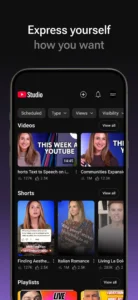
Can I manage Shorts and livestreams with this app?
Yes, YouTube Studio allows you to update information and track performance for videos, Shorts, and livestreams in one place.
