


Google Admin 2026.11.12.1019875778.0-release
Google LLC
November 22, 2026
8.0 MB
2026.11.12.1019875778.0-release
com.google.android.apps.enterprise.cpanel
RELATED APPS






SCREENSHOTS
DESCRIPTION
How can you manage your organization from your phone?
If you are an administrator for Google Workspace or Cloud Identity, you often need to handle user accounts or device security while away from your desk. The Google Admin app by Google Commerce Ltd provides a mobile-first solution for these critical tasks. By installing the Google Admin APK, you gain the ability to oversee your domain’s operations directly from your Android device, ensuring that you never lose control of your organizational settings.
This application is designed specifically for administrators of Business, Enterprise, Education, and Nonprofit accounts. It simplifies routine management tasks by providing a centralized dashboard that highlights key metrics and common actions.
Core Features for Administrators
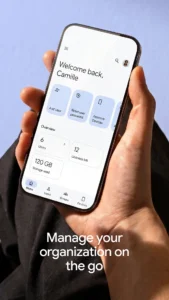
The latest version of the app features a refreshed Material 3 design that presents a clear snapshot of your organization immediately upon opening the app. You can use the search function to quickly locate specific users, groups, or hardware within your domain. If you are looking for other communication tools for your team, you might also consider Google Meet for your video conferencing needs.
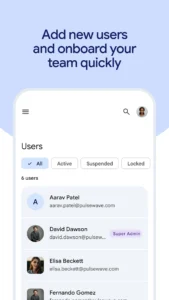
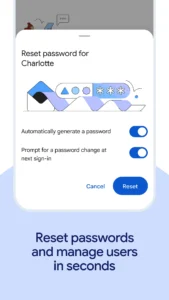
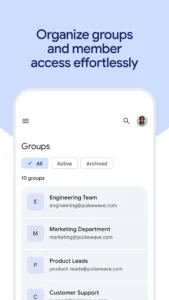
User management is straightforward, allowing you to add or edit accounts, reset passwords, and manage email aliases on the go. You can also handle group memberships by updating roles or adding new members as required. For teams that need to manage shared documents alongside their administrative work, some users find it helpful to integrate MediaFire for additional file handling.
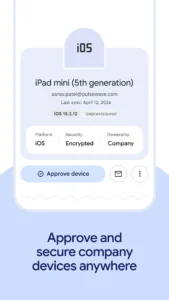
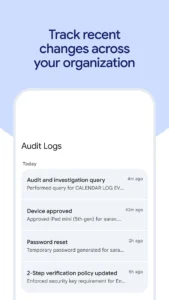
Security remains a primary focus of the Google Admin app. You can review all connected Android and iOS devices, approve or block their access, and perform a remote wipe of account data if a device is lost or compromised. Furthermore, the audit logs allow you to track recent administrative changes, ensuring full visibility into activity across your organization.
Getting Started and Permissions
To begin using the app, download and install the Google Admin APK on your device. Upon launch, you will need to sign in with your administrator credentials. The app requires several permissions to function correctly, including access to your network state and the internet for synchronization. It also uses your accounts to manage sign-ins and allows you to switch between multiple admin profiles. The app requests access to photos and media specifically to help you update user profile pictures.
Strengths and Limitations
- Clear, modern interface with quick access to common tasks.
- Comprehensive device and user management features.
- Audit logs for tracking administrative actions.
- Requires an active Google Workspace or Cloud Identity account.
- Not for standard users without administrator privileges.
Who Should Install This App
This app is essential for IT administrators who need to manage their organization’s Google Admin settings remotely. It is not intended for regular users who do not have administrative roles within their Google Workspace domain. If you hold an administrator role, this tool is highly recommended for maintaining security and efficiency while away from your primary computer.
Frequently Asked Questions
Is the Google Admin app free to use?
Yes, the app is free to download and use for administrators with a valid Google Workspace or Cloud Identity account.
Does this app work offline?
The app requires an internet connection to sync changes and access real-time data for your organization.
What versions of Android are supported?
The app is compatible with a wide range of Android versions, though specific requirements are handled by the Google Play Store environment on your device.
