

Google Docs 1.26.463.01.90
Google LLC
November 22, 2026
72.4 MB
1.26.463.01.90
com.google.android.apps.docs.editors.docs
RELATED APPS






SCREENSHOTS
DESCRIPTION
Efficient Writing with Google Docs APK
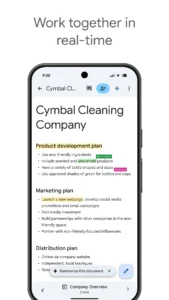
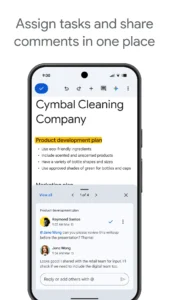
Google Docs is a powerful tool for anyone who needs to create and edit text files on a mobile device. Developed by Google Commerce Ltd, this application allows you to manage your documents from anywhere. It is designed for students, professionals, and anyone who needs to stay productive while moving between devices. The app serves as a central hub for your writing tasks, ensuring your work is always available. By using the Google Docs app, you can collaborate with others in real time. You can share documents with your team members easily, allowing everyone to add comments or complete action items simultaneously. This makes it simple to work together on projects, no matter where your team members are located. You can rely on this platform for everything from simple notes to complex professional reports.
Key Features for Your Workflow
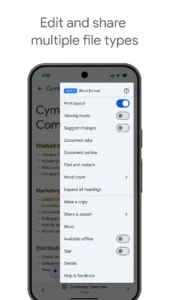
The app offers several tools to keep your work organized and accessible. You can open and edit various file types, including Microsoft Word files, directly within the interface. This feature ensures that you can continue working on documents created by others without needing to switch between different applications. You can also export your files into different formats when needed. The interface is clean, allowing you to focus on your writing without distractions. Whether you are drafting a quick memo or a long document, the tools you need are always within reach.
- Real-time collaboration with team members and live commenting.
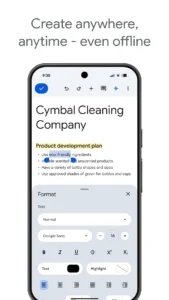
- Offline mode for editing documents without an active internet connection.
- Support for multiple file formats like Microsoft Word files.
- Access to professional templates for quick document creation and styling.
If you find yourself without an internet connection, you can still get your work done using the offline mode. This ensures that you can capture your ideas as soon as they happen, regardless of your location. If you need to coordinate with your team during these tasks, you might also find Google Meet useful for your professional communication needs.
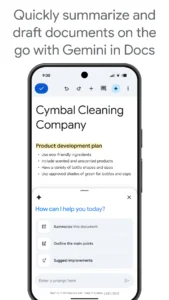
The app provides professional templates to help you add polish to your writing quickly. If you are a Google Workspace subscriber, you gain access to additional features like AI-powered writing suggestions and the ability to draft content using Gemini. You can also create unique images to customize your documents. For those who need additional space to store their documents, MediaFire is an alternative for file backup.
Getting Started and Permissions
To start, download the Google Docs APK and sign in with your account. The app requires several permissions to function correctly, such as access to your contacts for sharing, internet access for syncing, and microphone access for voice-related features. It also requests permission to access your files and accounts to ensure you can open and save your documents properly. These permissions allow the app to integrate with your system, such as using notifications to keep you updated on document changes or using your location if required for specific services. The app is built to handle complex sync operations, utilizing background services to ensure your data remains up-to-date across all your devices.
- Access to network and Wi-Fi state for cloud syncing.
- Microphone access for recording audio features.
- Account management permissions for user authentication.
- Notification permissions to keep you updated on document changes.
Quick Facts
Benefits and Considerations
The primary benefit of Google Docs is the ability to collaborate in real time with others. It supports a wide range of file formats, making it versatile for different work environments. However, you should note that some advanced features are reserved for paid Google Workspace subscribers. The app is free to use, but requires an active internet connection for many of its core syncing capabilities. Users should be aware that the app requests a wide variety of permissions, including access to contacts and system services, to provide a full suite of features.
Is Google Docs free to use?
Yes, the app is free to download and use. However, some advanced features, such as AI-powered writing assistance, are available only to Google Workspace paid subscribers.
Can I work without an internet connection?
Yes, the app includes an offline mode that allows you to create and edit documents even when you are not connected to the internet.
Which file formats are supported?
You can open and edit various file types, including Microsoft Word documents, directly within the application.
