

Google Pixel Watch 5.1.0.1005629187
Google LLC
November 22, 2026
70.2 MB
5.1.0.1005629187
Android 11
com.google.android.apps.wear.companion
RELATED APPS






SCREENSHOTS
DESCRIPTION
Get More From Your Google Pixel Watch APK
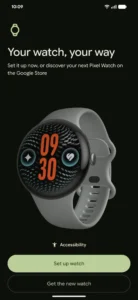
If you own a Google Pixel Watch, you know that keeping your device configured correctly is essential for a smooth experience. The Google Pixel Watch app acts as the central hub for your wearable, allowing you to bridge the gap between your Android phone and your wrist. Without this application, adjusting watch faces, managing notifications, or setting up core services like Google Wallet can be difficult or impossible. By downloading the Google Pixel Watch APK, you ensure that your watch remains synchronized with your phone, providing consistent alerts and data tracking.
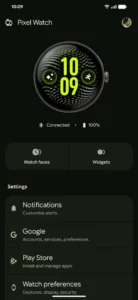
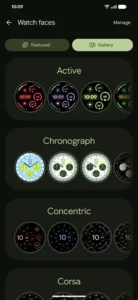
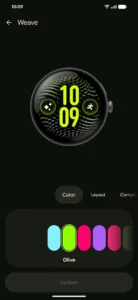
This companion app is designed to simplify your device management. Whether you need to change your watch face to match your daily activity or configure Gemini for quick assistance, the interface provides all the necessary controls in one place. It is the primary tool for anyone who wants to take full advantage of their hardware. If you are looking for a reliable way to keep your wearable updated, this is the essential software for your Android device.
Key Features for Your Device
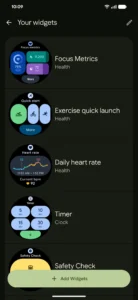
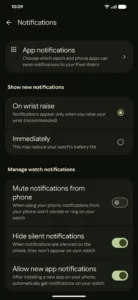
The app offers a comprehensive suite of tools to help you get the most out of your hardware. You can customize your watch faces and manage widgets, ensuring that the information you need most is always visible at a glance. It also handles the management of Google apps and accounts, so your calendar, messages, and wallet features stay up to date. For users who prefer to stay connected, the app facilitates the setup of mobile carrier plans in supported regions. If you are a frequent user of communication tools, you might also find Telegram useful for managing your chats on the go. The Google Pixel Watch app also allows you to fine-tune your privacy settings and notification preferences. This ensures that you only receive the alerts that matter to you, keeping your experience focused and efficient.
Installation and Permissions
To use the app, ensure your phone runs Android 10.0 or later. During installation, the app requests several permissions to function correctly. These include access to your location for tracking, Bluetooth for syncing with the watch, and permissions for SMS, contacts, and calendar to push notifications to your wrist. It also requires access to your camera and phone state to manage calls and services effectively. If you are looking for a reliable web browser to accompany your device management, you may want to try Google Chrome: Fast & Secure for your mobile browsing needs. The app requires background data usage and foreground service permissions to keep the connection between your watch and phone active throughout the day.
Quick Facts
Strengths and Limitations
Strengths:
- Centralized management for all watch settings.
- Easy customization of watch faces and widgets.
- Direct integration with Google services like Wallet and Gemini.
Limitations:
- Requires a specific range of Android versions.
- Access to mobile carrier setup is limited to certain countries.
- Demands numerous permissions to maintain full functionality.
Who Should Use This App?
The app is perfect for anyone who owns a Google Pixel Watch and wants full control over their wearable device. It is essential for those who want to customize their watch faces, manage notifications, or use Google Wallet. If you do not own a compatible Google Pixel Watch, you do not need to install this application. It provides the necessary backend support to ensure your wearable performs as expected.
FAQ
Is the Google Pixel Watch app free?
Yes, the app is free to download and use.
Does it work offline?
The app requires an internet connection to sync accounts and manage certain watch features effectively.
Which Android version is required?
You need a device running Android 10.0 or higher to install and use this companion app.
