

Google Tasks 2026.11.09.1022765524.1-release
Google LLC
November 22, 2026
14.8 MB
2026.11.09.1022765524.1-release
com.google.android.apps.tasks
RELATED APPS






SCREENSHOTS
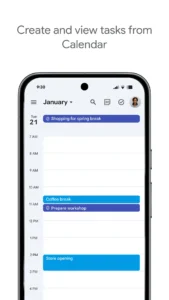
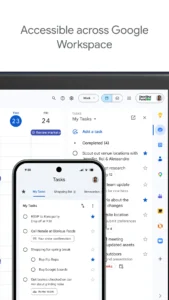
DESCRIPTION
Struggling to keep track of your daily responsibilities? The Google Tasks APK is designed to help you capture, manage, and complete your to-do lists from anywhere. Developed by Google Commerce Ltd, this application simplifies your schedule by syncing your tasks across all your devices, ensuring you never miss a deadline or forget a commitment. It is a reliable tool for anyone who needs to bring order to their daily routine. Whether you are managing personal errands or professional deadlines, this application provides a straightforward way to stay organized.
Key Features of the Google Tasks APK
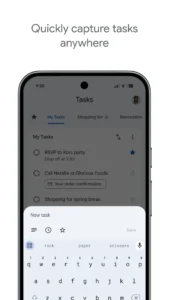
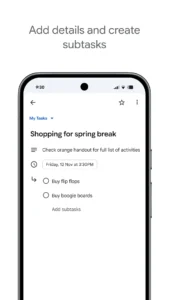
The app provides a clean interface for creating and tracking your daily work. You can easily view, create, and edit tasks while you are on the go. If you have complex projects, you can break them down into smaller components using subtasks. To stay organized, you can create separate lists for different topics or priorities. Google Tasks also allows you to reorder items using a simple drag-and-drop method or mark important entries with a star for quick identification. This ensures that your most urgent items are always at the top of your view.
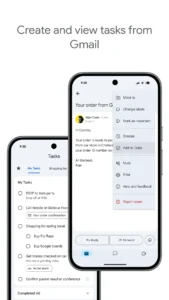
A key feature is the integration with Gmail, which lets you create tasks directly from your emails. Each created task keeps a link back to the original message, so you can easily reference context later. If you need to manage team communication, you might also find Google Meet useful for your professional needs. To ensure you finish your work on time, you can set specific dates and receive timely notifications, keeping your productivity high. These alerts are managed through your system settings to ensure you never miss an important reminder.
When you install the Google Tasks APK, the app requests several permissions to function correctly. It needs access to your network state and the internet to sync your data. It also requires account permissions to connect with your Google profile, and notifications to alert you about upcoming deadlines. Other permissions like vibration and exact alarms help ensure you get reminded at the right moment. If you require a tool for file storage, you could pair this with MediaFire to manage your documents alongside your tasks. The app also uses specific permissions to read your Gmail data when you choose to create a task from an email.
Getting Started with Your Tasks
Getting started is simple. Once you have the Google Tasks APK installed, sign in with your Google account. The app will sync your lists immediately. You can start adding items by tapping the plus icon at the bottom of the screen. Setting a date or adding a subtask is just as easy, allowing you to build a comprehensive plan for your day or week. By maintaining a consistent login, you ensure that your progress remains backed up and accessible from any smartphone or tablet.
- Organize tasks by category or priority level.
- Use subtasks to manage large projects.
- Create tasks directly from email threads.
- Sync data across all your logged-in devices.
Strengths and Limitations
- Strengths: Free to use, direct integration with Gmail, simple drag-and-drop organization, and multi-device syncing.
- Limitations: Requires a Google account for full functionality, and some features rely on active internet connectivity.
Frequently Asked Questions
Is Google Tasks free to use?
Yes, Google Tasks is a free application for Android users.
Can I track multi-step projects?
Yes, you can use the subtasks feature to break down larger projects into smaller, manageable parts.
Does it work across different devices?
Yes, your to-do lists sync automatically across all devices where you are signed in with your Google account.
Which Android version is required?
The developer does not list a specific minimum Android requirement for this version.
