


Google Voice 2026.11.08.1021232647
Google LLC
November 22, 2026
34.7 MB
2026.11.08.1021232647
Android 8.0
com.google.android.apps.googlevoice
RELATED APPS






SCREENSHOTS
DESCRIPTION
Solve your communication challenges with Google Voice APK
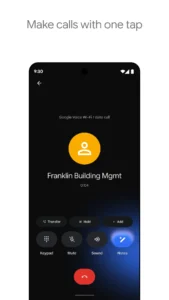
Managing multiple phone numbers and keeping your messages organized can be difficult. Google Voice provides a dedicated phone number for your calling, text messaging, and voicemail needs. Developed by Google Commerce Ltd, this application helps you keep your personal and professional communications organized. It works across your smartphones and computers, syncing your data so you can access it anywhere. By downloading the Google Voice APK, you gain a versatile tool that bridges the gap between your mobile device and desktop computer for all your voice and text requirements.
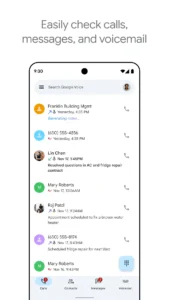
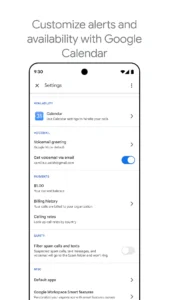
When you use Google Voice, you can filter spam calls automatically and block unwanted numbers. The app allows you to customize forwarding settings for your incoming calls and messages to better manage your time. All your history is stored and backed up, making it simple to search through past conversations. This Google Voice APK ensures that your essential communication logs remain accessible and searchable whenever you need to reference them.
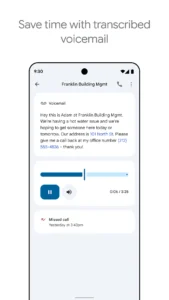
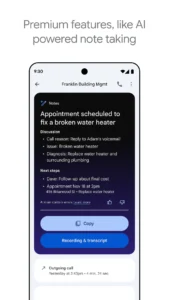
You can send and receive both individual and group SMS messages from any of your linked devices. The application also provides advanced voicemail transcriptions that you can read directly in the app or have forwarded to your email address. If you need a more secure or different messaging experience, you might also look at Telegram for its cloud-based features. Additionally, to browse the web while managing your calls, Google Chrome: Fast & Secure is a reliable companion for your Android device.
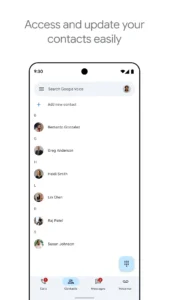
To get started, simply install the app and sign in with your Google account. Note that Google Voice requires several permissions to function, including access to your microphone for calls, your contacts to show caller names, and your camera for certain features. It also uses your network state and internet connection to sync data across your devices. The app requests access to call logs, phone state, and Bluetooth to manage your audio settings during active calls. You must also grant permission for notifications to receive updates about your incoming messages and missed calls. The app also uses foreground services for data syncing, media playback, and managing phone calls to keep your communication active.
Because the app handles sensitive data, it requires permission to read and write contacts, manage your Google accounts, and modify audio settings. It also uses wake locks to keep the device active during specific tasks. These permissions are necessary to provide a smooth experience across your devices, ensuring your voicemails and text messages are delivered reliably. Always verify your device settings after installation to ensure all features are working as expected for your specific Android version.
Quick facts about the application
Strengths and limitations of the service
- Automatic spam filtering and call blocking features keep your inbox clean.
- Easy search functionality allows you to find specific call history and messages quickly.
- Advanced voicemail transcriptions can be sent directly to your email for convenience.
- International calling is available at competitive rates without using extra carrier minutes.
- Multi-device synchronization ensures you never miss a message while working or traveling.
- Requires a personal Google account in the US or a specific Google Workspace account.
- Calls may use your standard mobile carrier minutes depending on your specific settings.
- Text messaging functionality is not supported in all international markets.
- The app is currently restricted for personal use to users located within the United States.
Frequently asked questions
Is Google Voice free to use?
Yes, the app is free to download and use. However, international calls may have specific rates, and calls made through access numbers might consume standard mobile plan minutes from your carrier.
Does it work offline?
The app requires an active internet connection to sync your messages, calls, and voicemail transcriptions across your different devices.
Where is this service available?
The service is currently available for personal Google Accounts in the US. Users with Google Workspace accounts can access the service in select international markets as determined by their administrator.
