

Image to PDF - PDF Maker 1.8.2
Simple Design Ltd.
November 22, 2026
62.3 MB
1.8.2
Android 7.0
imagetopdf.pdfconverter.jpgtopdf.pdfeditor
RELATED APPS






SCREENSHOTS
DESCRIPTION
Is the Image to PDF – PDF Maker APK the right tool for your document needs?
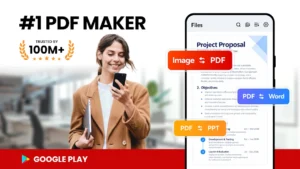
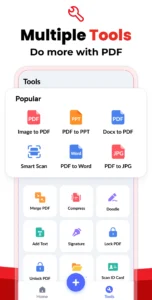
Do you need a fast way to turn your photos into professional documents? Image to PDF – PDF Maker APK is a versatile tool designed to convert JPG, JPEG, and PNG files into high-quality PDFs. Developed by Simple Design Ltd., this app allows you to handle notes, receipts, invoices, and business cards directly on your phone. It is a reliable solution for anyone who needs to organize physical paper files or digital images into a structured format. With over 100 million installs, this Image to PDF – PDF Maker tool is a popular choice for users who want a straightforward way to manage their documents on the go.
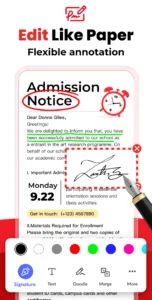
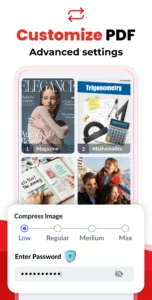
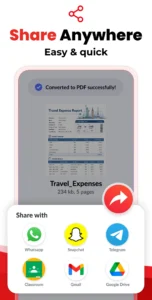
The app provides a complete suite of editing tools before you finalize your document. You can resize, crop, rotate, and add doodles to your images to ensure they look exactly as you want. Once you have your layout, the app lets you adjust the image quality through compression settings, such as low, medium, or high. This control helps you balance file size and visual clarity, which is useful when you need to send files via email or social media. By using Image to PDF – PDF Maker, you gain full control over how your documents appear before they are shared.
Getting started is simple, as the app works entirely offline. You do not need to worry about your data being sent to a server, keeping your information private. To begin, you grant permissions for camera access to scan physical papers and storage access to manage your existing media. If you are looking for other ways to improve your professional communication, Google Meet is a helpful app for your video meetings. The app also keeps your documents safe by allowing you to set passwords for sensitive files, ensuring only authorized people can open them. For those who need to back up these converted files, MediaFire is an excellent choice for keeping your documents organized in the cloud.
Key Features for Document Management
- Local conversion ensures your images are not uploaded to external servers.
- Password protection allows you to encrypt confidential files for security.
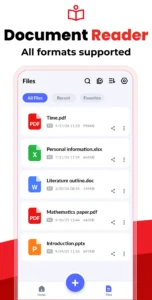
- Automatic sorting organizes your library by date, name, or file size.
- Built-in PDF reader lets you doodle, sign, and view all your documents.
- Quick search function helps you locate specific files by using keywords.
Strengths and limitations
- Strengths: Completely free to use, works offline, includes image editing tools, and provides password security.
- Limitations: The application is supported by advertisements and requires extensive permissions like camera and storage access.
Who should use this app?
If you are a student or professional who frequently deals with physical paper receipts, forms, or business cards, this app is highly recommended. It simplifies the process of digitizing and organizing your paperwork without requiring expensive hardware. However, if you prefer an ad-free experience or only need basic document viewing, you might find other specialized tools more suitable. Because Image to PDF – PDF Maker is free and offline, it is a great utility for anyone needing to save space and maintain privacy while working with documents.
Frequently Asked Questions
Is Image to PDF – PDF Maker free?
Yes, all features within the app are free to use, though it is supported by advertisements.
Can I use this app without an internet connection?
Yes, the app is designed to work offline, and your files are processed locally on your device.
What permissions does it require?
The app requires various permissions, including camera access, storage management, and network state for ads. Android 11+ users must provide All Files Access to manage their PDF library effectively.
