

Link to Windows 1.26102.152.0
Microsoft Corporation
November 22, 2026
95.8 MB
1.26102.152.0
Android 10
com.microsoft.appmanager
RELATED APPS






SCREENSHOTS
DESCRIPTION
Connect Your Mobile Experience to Your Desktop
If you find yourself constantly switching between your smartphone and your PC, Link to Windows offers a bridge to simplify your workflow. Developed by Microsoft Corporation, this productivity tool allows you to access your mobile content directly from your Windows computer. By connecting your device, you can stop emailing yourself photos and manage your mobile communications using your PC’s keyboard and larger monitor.
Key Features for Your Workflow
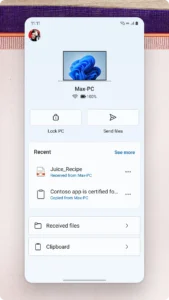
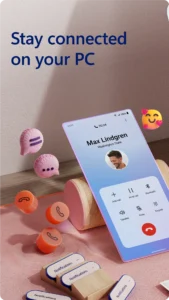
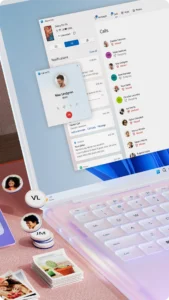
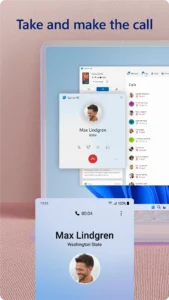
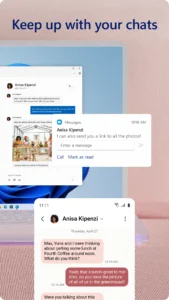
Link to Windows provides several ways to keep your devices in sync without needing to reach for your phone. You can read and reply to text messages directly from your desktop, which helps you maintain focus on your work. The app also enables you to make and receive calls through your PC, provided your computer has Bluetooth capability. For those who manage many images, you can view your mobile photos and drag and drop files between your phone and PC, making file management faster.
If you use a compatible Microsoft Duo, Samsung, or HONOR device, you gain access to additional features. These include the ability to run your favorite mobile apps on your PC and use cross-device copy and paste. These specialized integrations allow you to use your PC mouse, keyboard, and touch screen to interact with your phone’s interface. If you are looking for other ways to improve your remote work setup, you might consider Google Meet for your communication needs or Bing: Chat with AI & GPT-4 for assistance with your daily tasks.
Getting Started
To begin, install the Link to Windows app on your Android device and open the Phone Link application on your Windows PC. The app requires several permissions to function properly, including access to your contacts, SMS, and call logs to manage your communications. It also requests access to your camera, microphone, and storage to facilitate file transfers and media management. Furthermore, the app uses Bluetooth and Wi-Fi state permissions to maintain a stable connection between your hardware.
Strengths and Limitations
Strengths:
- Allows instant access to text messages and phone calls from a PC.
- Simplifies file sharing by enabling drag-and-drop between devices.
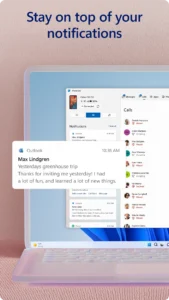
- Provides a unified notification center on your computer.
Limitations:
- Requires a Windows 10 PC for basic functionality.
- Advanced features like app streaming are limited to specific device brands.
- The app requests a wide range of system permissions to operate.
Who Should Use This App
This application is ideal for professionals or students who spend significant time at a desk and want to reduce the time spent picking up their phone. If you already use a Windows PC and a compatible Android device, this tool helps you stay connected without losing your rhythm. However, if you do not use Windows or have a device that is not supported for advanced features, you may find the experience limited.
Is Link to Windows free to use?
Yes, the app is free to download and use on your Android device.
Can I use this app on any Android device?
The app requires Android 10 or higher. While it works on many phones, certain advanced features like app streaming and drag-and-drop are restricted to select Microsoft Duo, Samsung, and HONOR devices.
Does the app work offline?
No, Link to Windows requires an active network connection to sync your messages, notifications, and files between your phone and your PC.
