


Manus AI: Video, Slides & Apps 26.19.17
BUTTERFLY EFFECT PTE. LTD.
November 23, 2026
152.4 MB
26.19.17
Android 7.0
tech.butterfly.app
RELATED APPS






SCREENSHOTS

DESCRIPTION
Get Started with the Manus AI: Video, Slides & Apps APK
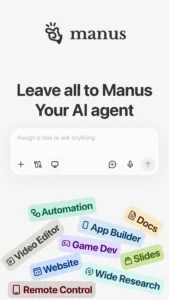
Manus AI: Video, Slides & Apps acts as a general AI agent designed to turn your concepts into finished projects. Developed by BUTTERFLY EFFECT PTE. LTD., this tool does more than provide answers; it plans, builds, and delivers results for complex tasks. If you are looking for the latest Manus AI: Video, Slides & Apps APK, you will find it simplifies media creation and remote work. Whether you need to generate videos, build websites, or create mobile apps, this application handles the heavy lifting in the cloud.
When you start a task, the platform breaks it down into actionable steps. It runs these on its own cloud computer, meaning you can close the app and receive a notification once the work is complete. You remain in control and can stop or edit your requests at any time. If you need to coordinate with your team while using the app, you might find Google Meet helpful for your remote discussions.
Comprehensive AI Features and Capabilities
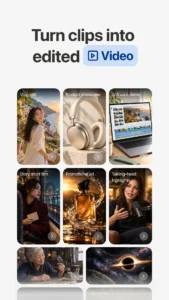
The app offers a wide range of creative and functional tools. You can generate professional videos from a single prompt, including scripts, storyboards, and voiceovers. Because the results are editable projects, you can refine them via chat or use the desktop editor to adjust timelines and music. For those who manage large amounts of data, using MediaFire to organize your project assets can keep your workflow tidy.
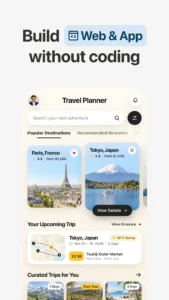
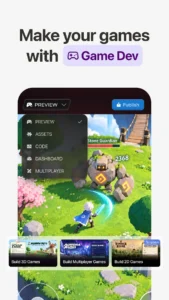
Beyond media, Manus AI: Video, Slides & Apps excels at productivity. You can generate slide decks from files or prompts, summarize complex PDFs, and analyze spreadsheets. The platform also includes an AI website builder and an app builder that handles frontend, backend, and database creation without requiring you to write code. You can even design playable games, from puzzle games to 3D titles, and share them directly through a browser link. This versatility makes the Manus AI: Video, Slides & Apps APK a central hub for your digital projects.
Remote Control and Integration
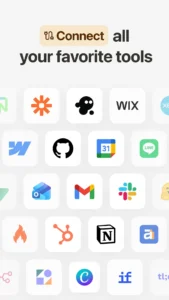
A key highlight of the latest version is the remote control feature. You can manage your personal computer or a cloud-based machine directly from your phone. This allows you to ask the AI to find files or run specific applications while you monitor the progress live. The app supports connections to common tools like Gmail, Google Drive, Slack, and GitHub, allowing it to act on your behalf across your existing digital workspace. You can even purchase a dedicated phone number or cloud computer within the app to help Manus get things done more efficiently.
Getting Started and Security
To begin using Manus AI: Video, Slides & Apps, download and install the APK on any device running Android 7.0 or higher. The app requires several permissions to function effectively, including:
- Camera and Microphone: Needed for media creation and voice-based commands.
- Storage Access: Used for reading and processing your local files.
- Biometric/Fingerprint: Enhances account security for your sensitive projects.
- Foreground Services: Enables the app to manage long-running tasks in the background.
The app also includes advanced integration features that allow it to read your context and take action across your tools. By utilizing these permissions, the software ensures that your automated workflows remain secure and organized while you focus on other priorities.
Strengths and Limitations
- Strengths: Complete project generation from single prompts, cross-platform remote computer control, and integration with major productivity software.
- Limitations: Requires various system permissions to enable full functionality and relies on active internet connectivity for cloud processing.
Is this app free to use?
Yes, the app follows a free model, though it may include optional in-app purchases for advanced features or cloud resources.
Does it work offline?
No, the application relies on cloud processing to perform research and build your projects, so an active internet connection is necessary.
Which Android version is required?
You need a device running Android 7.0 or higher to install and run the software.
