


Meta Ads Manager 502.0.0.64.105
Meta Platforms, Inc.
November 22, 2026
49.6 MB
502.0.0.64.105
com.facebook.adsmanager
RELATED APPS






SCREENSHOTS
DESCRIPTION
Stay in Control of Your Marketing with the Meta Ads Manager APK
If you are a business owner or a marketing professional, you know that campaign performance does not stop when you leave your desk. The Meta Ads Manager app helps you keep a close eye on your advertising efforts across Facebook, Instagram, Messenger, and WhatsApp. By downloading the Meta Ads Manager APK, you gain the ability to monitor your results and adjust your settings from anywhere using your Android device. This application is developed by Meta Platforms, Inc. and is designed to keep you connected to your performance metrics.
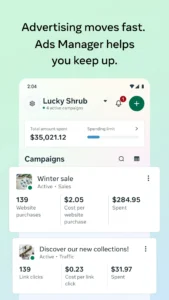
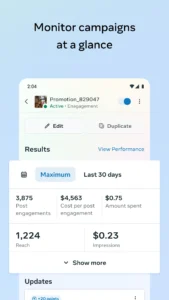
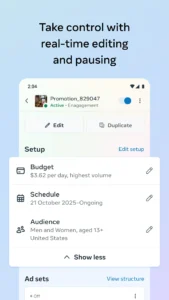
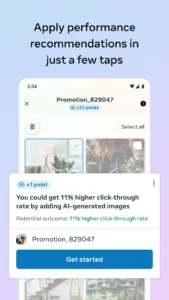
By using Meta Ads Manager, you can view detailed real-time insights for all your active campaigns. This allows you to quickly identify which ads are performing well and which ones need adjustments. You can easily turn campaigns on or off directly from the interface, giving you full control over your budget and reach without needing a computer.
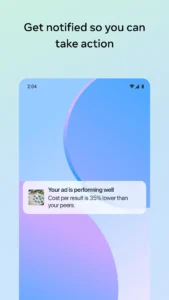
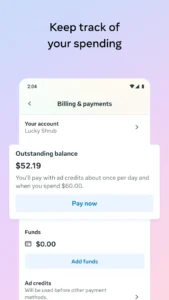
Efficiency is key when managing multiple accounts. The application lets you switch between different Pages and ad accounts with just a few taps. If you are also looking for ways to handle your retail sales, you might find Kyte: POS, Online Store & Catalog helpful for managing your inventory and receipts. You can also get quick alerts regarding your ad performance, ensuring you never miss an important update about your marketing spend.
The app provides a side-by-side view to compare different campaigns and ad sets. This feature helps you analyze performance trends more effectively by showing your data in a clear, organized format. If you need to keep track of your business finances alongside your marketing budget, you can use Cash Book- daily expenses to maintain accurate records. Meta Ads Manager is designed to keep you informed and agile in a fast-paced digital environment.
Getting Started and Permissions
To start using Meta Ads Manager, download and install the APK file on your device. Upon launch, you will need to sign in with your Meta account credentials to access your existing ad accounts. The app requires several permissions to function correctly, including access to your network state, internet connection, and push notifications to deliver campaign alerts. It also requests access to your storage and media files to handle ad-related content, as well as biometric and fingerprint permissions for secure account access.
Key Features of the App
- View detailed real-time insights for all your active campaigns.
- Easily toggle individual campaigns on or off.
- Receive instant alerts about your advertising performance.
- Compare different ad sets using a side-by-side view.
- Switch between multiple Pages and ad accounts.
Strengths and Limitations
- View real-time insights for all your campaigns.
- Toggle campaigns on or off instantly.
- Compare ad sets side-by-side for better analysis.
- Requires a wide range of permissions for full functionality.
- Performance depends on your internet connection.
Quick Facts
Who Should Use This App
This app is ideal for digital marketers, small business owners, and social media managers who run paid advertisements on Meta platforms. If you frequently need to check metrics while traveling or away from your office, this provides the necessary mobile access. Those who do not run paid advertisements on Facebook, Instagram, or Messenger will not find this tool useful.
Is Meta Ads Manager free to use?
Yes, the app is free to download and use for managing your ad accounts.
Does this app work offline?
No, you need an active internet connection to receive real-time updates and manage your campaigns.
Can I manage multiple accounts?
Yes, the app allows you to easily switch between your different Pages and ad accounts within the interface.
