


CertOps 2.0.4
PlayStation Mobile Inc.
November 23, 2026
21.0 MB
2.0.4
Android 9
com.apposing.playstation
RELATED APPS






SCREENSHOTS

DESCRIPTION
Solve Certification Bottlenecks with CertOps
If you are a partner navigating the certification process, you know that keeping track of progress is essential. The CertOps APK provides a dedicated mobile interface for managing these tasks on the go. Developed by PlayStation Mobile Inc., this application bridges the gap between your dashboard and your smartphone, ensuring you stay updated without needing to be at your desk.
How CertOps Streamlines Your Workflow
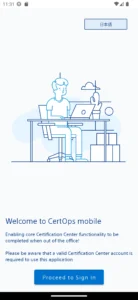
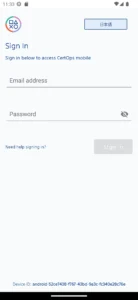
This application is designed specifically for partners involved in the formal certification process. To use the app, you must have an existing Certification Center account. Once you sign in, CertOps allows you to monitor your projects directly from your Android device. By bringing these tools to your phone, it simplifies how you handle project status updates and communications.
For those looking to expand their business toolkit, you might also find the Kyte: POS, Online Store & Catalog app useful for inventory management. Additionally, if you need to keep a close eye on your finances, Cash Book- daily expenses serves as a helpful companion for tracking daily spending. Both apps integrate well into a professional business environment alongside CertOps.
Getting Started with the App
To begin, download the CertOps APK and ensure your device runs Android 9 or higher. The app requires several permissions to function correctly, including internet access to connect with the Certification Center and notification permissions to keep you informed of status changes. It also uses fingerprint authentication for secure access and wake lock permissions to maintain your session while you work.
Strengths and Limitations
Strengths:
- Direct mobile access to the Certification Center portal.
- Lightweight installation size of 21.0 MB.
- Support for secure fingerprint authentication.
Limitations:
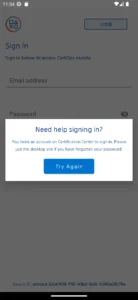
- Requires an existing, valid Certification Center account.
- Not intended for general users outside of the partner program.
- Depends on a stable network connection to sync project data.
Who Should Use This App
This tool is ideal for authorized partners who need to monitor certification tasks while traveling or away from a primary computer. If you are not a registered partner with an account at the Certification Center, this app will not provide any functional utility for you. Users who prefer a desktop-only workflow may also find the mobile interface unnecessary.
Frequently Asked Questions
Is CertOps free to download?
Yes, the app is free to use for authorized partners.
Does this app work offline?
No, the app requires an active internet connection to communicate with the Certification Center and sync your project data.
Which Android version is required?
You need a device running Android 9 or higher to install and run the application.
