


Dynamics 365 Project Timesheet 1.26.4
Microsoft Corporation
November 23, 2026
28.5 MB
1.26.4
Android 11
com.microsoft.microsoftdynamics365projecttimesheet
RELATED APPS






SCREENSHOTS
DESCRIPTION
How can you manage your project hours from your phone?
The Dynamics 365 Project Timesheet mobile app, developed by Microsoft Corporation, provides a direct way to record and approve project hours. If you work within the Dynamics 365 for Finance and Operations environment, this tool brings the project management and accounting module to your Android device. It is designed to boost efficiency for employees who need to submit their time on the go.
By using this app, you can ensure that your project documentation remains accurate and up to date without needing to access a desktop computer. The Dynamics 365 Project Timesheet streamlines the reporting process for both staff members and project managers.
Key features for time management
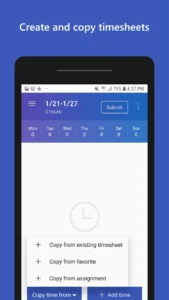
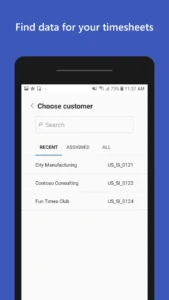
The app includes several features to speed up your daily logging. You can copy hours from previous timesheets, use saved favorites, or pull data directly from your assigned projects. This reduces the time spent on manual data entry and minimizes the risk of errors. If you need to track your work, you might also look at Kyte: POS, Online Store & Catalog for additional business management features.
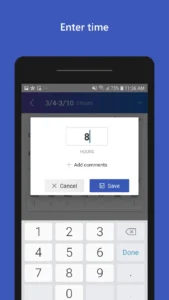
You can copy time entries from one day to the next, which is helpful for recurring tasks. Furthermore, the app allows you to add specific comments. You can include internal notes for reviewers or customer-facing comments that will appear on the final invoice. For those who need to integrate broader office functions, Bing: Chat with AI & GPT-4 is another tool to consider for productivity.
Getting started with the app
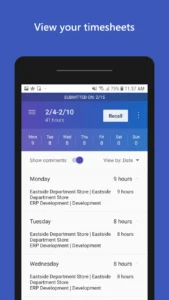
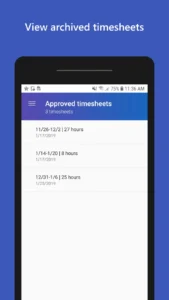
To use the app, ensure your device runs Android 11 or higher. After installation, the app requires specific permissions to function correctly. It uses the internet for data synchronization, checks network state to ensure connectivity, and accesses check-in properties for system integration. Once configured, reviewers can use the app to approve, return, or delegate timesheets to other team members.
Strengths and limitations
The Dynamics 365 Project Timesheet is built for professional workflows, but it is important to understand its constraints:
- Strengths: Enables quick entry via copy functions, allows for easy delegation of approvals, and supports detailed project comments.
- Limitations: Requires an active account within the Dynamics 365 for Finance and Operations ecosystem and needs at least Android 11.
Who should use this app?
This app is ideal for employees and managers already working within the Microsoft Dynamics 365 business environment. If your company uses this specific platform for project accounting, the app is a helpful addition to your workflow. If you do not use this specific Microsoft service, this app will not be useful for your time tracking needs.
Is the app free to use?
Yes, the app is free to download and install.
Does it work offline?
The app requires an internet connection to sync timesheet data with your company’s Dynamics 365 environment.
Which Android version is required?
You must have Android 11 or a later version installed on your device.
