


Power Apps 3.26112.10
Microsoft Corporation
November 22, 2026
140.7 MB
3.26112.10
Android 7.0
com.microsoft.msapps
RELATED APPS






SCREENSHOTS
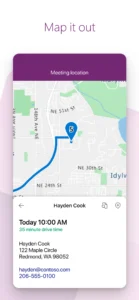
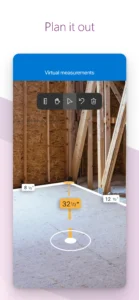
DESCRIPTION
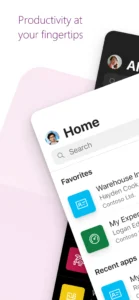
Power Apps is the official client from Microsoft Corporation designed to help you access your work or school applications on the go. Whether you are in the office, at home, or traveling, this app acts as a portal for the custom tools created by your organization. By using Power Apps, you can interact with specialized software for tasks like tracking expenses, registering event attendees, or checking into health clinics directly from your mobile device.
Getting Started with Power Apps APK
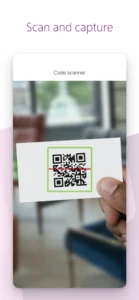
To begin, download and install the Power Apps APK on your device running Android 7.0 or higher. Once installed, you will need to sign in with your work or school credentials to see the specific applications available to you. The app requests various permissions to function correctly, including access to your camera for scanning barcodes or QR codes, location services for field tasks, and microphone access for specific data entry features. It also manages your accounts to ensure your organizational data remains secure while you are logged in.
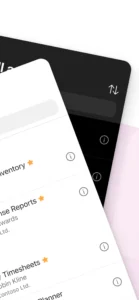
You can organize your workspace by swiping right on an app to make it a favorite or swiping left to add a shortcut directly to your home screen. If you are a business owner looking for a different way to manage inventory, you might find Kyte: POS, Online Store & Catalog useful for your retail needs. For those interested in advanced productivity features, the Bing: Chat with AI & GPT-4 tool can assist with various digital research tasks.
Key Functionality
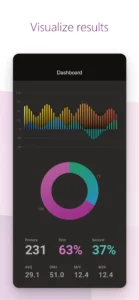
The platform supports a wide range of custom solutions. You can use it to visualize data through interactive dashboards, scan NFC tags on equipment, or perform space planning with 3D measurements. Because Power Apps is designed for flexibility, some applications allow you to work offline. In these cases, the app automatically syncs your data once you return to a network connection.
Strengths and Limitations
- Large variety of custom business tools available in one place.
- Supports offline work with automatic data synchronization.
- Interactive features like NFC reading and 3D measurements.
- Requires an active work or school account to access any features.
- Extensive permission list needed to support hardware features like camera and location.
Frequently Asked Questions
Is this app free to use?
Yes, the app is free to download and use, though you must have a valid work or school account to access the internal applications hosted by your organization.
Does it work offline?
Yes, some custom apps allow for offline usage. Power Apps will sync your information as soon as you have an active network connection again.
What is the minimum Android version required?
You need a device running Android 7.0 or higher to install and run the latest version.
