


Microsoft Power BI 2.2.261110.21334603
Microsoft Corporation
November 22, 2026
94.0 MB
2.2.261110.21334603
Android 11
com.microsoft.powerbim
RELATED APPS






SCREENSHOTS
DESCRIPTION
Exploring the Microsoft Power BI APK
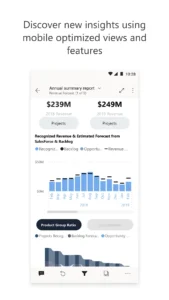
Microsoft Power BI is a mobile application developed by Microsoft Corporation that brings your organization’s data directly to your Android device. If you are looking to manage your business metrics, the Microsoft Power BI APK serves as a reliable portal for your data. It acts as a bridge between your complex business data and the insights you need to make decisions while away from your desk. By providing a clear view of your reports and visualizations, the app ensures you stay informed about your key performance indicators in real time. Whether you are in the office or on the move, this tool helps you maintain control over your information. It integrates with the broader Power BI suite, including Power BI Desktop and the Power BI web service, to ensure you never miss a beat regarding your business intelligence needs.
Key Features for Data Analysis
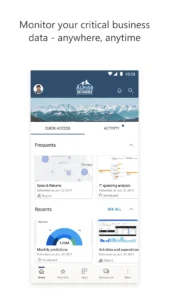
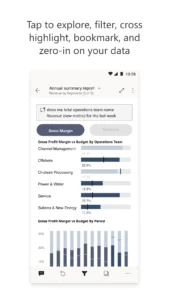
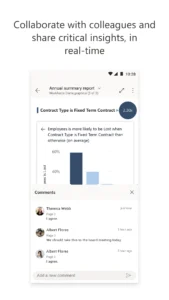
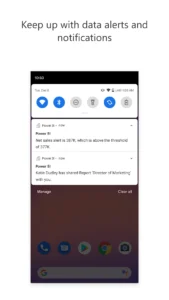
The app offers several tools designed to make data interaction simple and efficient. You can view all your important data in one centralized location, which helps in tracking business health at a glance. When you need to dig deeper, you can tap to explore, filter, and focus on specific metrics that matter most to your current project. The ability to annotate and share reports directly from your phone allows for quick collaboration with your team members. Microsoft Power BI also includes data alerts, which send real-time notifications to your device, ensuring you never miss a critical change in your data. Additionally, you can scan QR codes to instantly pull up relevant reports based on real-world assets or locations. You can also securely access your on-premises data without needing complex workarounds, keeping your information protected while accessible on the go.
- Centralized dashboard for viewing all your important data.
- Interactive tap-to-explore features to filter and focus on specific metrics.
- Built-in annotation tools for sharing reports with your team.
- Real-time alert system to keep you updated on critical data changes.
- Secure access to your on-premises data sources.
- QR code integration to access data in context.
Getting Started and Permissions
To begin using the app, download the latest Microsoft Power BI APK and ensure your device runs Android 11 or higher. The app requires several permissions to function properly, including camera access for scanning QR codes and biometric permissions for secure sign-in. It also uses location data and network state information to provide context-aware reports and maintain a consistent connection to your data sources. If you manage retail operations, you might also find tools like Kyte: POS, Online Store & Catalog useful for tracking your sales. For broader productivity needs, you can also consider integrating Bing: Chat with AI & GPT-4 to assist with your daily research tasks. The installation process is straightforward, and you can start exploring your data instantly with no setup needed.
- Internet and Network state permissions for data synchronization.
- Camera access to facilitate QR code scanning.
- Biometric and fingerprint permissions to ensure secure user authentication.
- Location permissions for context-aware data reporting.
- Foreground service and wake lock permissions for reliable notifications.
- Notification permissions to keep you updated in real time.
Technical Specifications
Strengths and Limitations
The primary strength of Microsoft Power BI lies in its accessibility and the depth of its reporting tools, which mirror the capabilities of the desktop suite. It is highly effective for professionals who need to monitor data constantly. On the limitation side, the app requires a stable internet connection to fetch live data, and the extensive set of permissions might be a consideration for users with strict privacy requirements. Additionally, while the app is free, it relies on the broader Power BI ecosystem for full functionality and requires a compatible Microsoft account to access your specific organizational reports.
Frequently Asked Questions
Is Microsoft Power BI free to download?
Yes, the app is free to download and use on Android devices.
Does this app work offline?
The app is designed to access your data from anywhere, but it relies on an internet connection to refresh and sync your latest reports.
What Android version is required?
You need a device running Android 11 or newer to install and run this application.
APP TRAILER
