


Microsoft Azure 8.1.13.2026.09.28-23.29.29
Microsoft Corporation
November 22, 2026
73.8 MB
8.1.13.2026.09.28-23.29.29
com.microsoft.azure
RELATED APPS






SCREENSHOTS
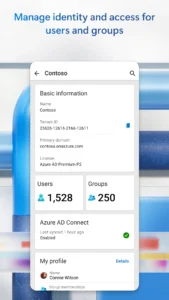
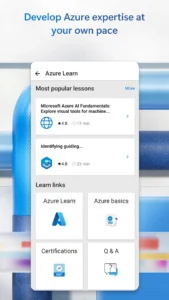
DESCRIPTION
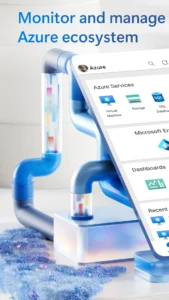
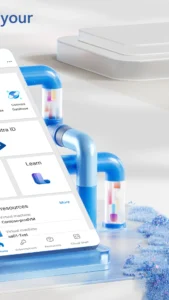
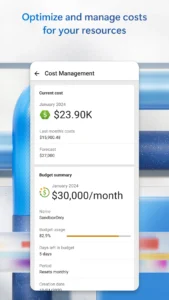
The Microsoft Azure app provides a direct way for professionals to monitor their cloud environment from a mobile device. Developed by Microsoft Corporation, this utility allows users to check the status of their infrastructure and respond to alerts without needing a desktop computer. Whether you are an administrator or a developer, you can keep track of critical metrics and cloud health while away from your desk. This mobile tool is designed to provide visibility into your cloud resources, ensuring that you stay informed and in control of your digital infrastructure at all times.
Getting Started with Microsoft Azure APK
To begin using the app, download and install the Microsoft Azure APK on your Android device. Once installed, you must sign in with your account credentials to access your personal resource dashboard. The application requests several permissions to function correctly, including access to your network state and internet connection, which are necessary for real-time cloud monitoring. It also uses biometric and fingerprint permissions to help secure your access, alongside notification permissions to ensure you receive critical alerts about your services.
For those managing diverse business operations, you might also find tools like Kyte: POS, Online Store & Catalog useful for handling your inventory and sales data. The Microsoft Azure app also requires storage permissions to handle file downloads and wake locks to maintain connectivity during background tasks. It also utilizes services that receive push notifications to keep you updated on system health. Always ensure your device is updated to a recent version of the Android operating system to ensure the best performance and security during your sessions.
Key Features and Capabilities
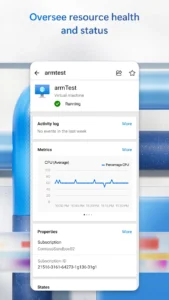
This app focuses on accessibility and control for cloud-based services. You can stay connected to your environment by viewing real-time status updates and critical metrics from anywhere. If an issue arises, the application sends notifications directly to your phone, helping you stay informed about health issues as they happen. You also maintain control over your assets by performing corrective actions, such as starting or stopping virtual machines and web apps, directly through the interface. For additional productivity needs, users often look for smart AI assistants such as Bing: Chat with AI & GPT-4 to help streamline their daily workflows and research tasks.
Strengths and Limitations
Strengths:
- Provides immediate visibility into cloud resource status and metrics from any location.
- Allows for remote management, including starting and stopping virtual machines and web apps.
- Includes timely notifications for health alerts to ensure you never miss a critical system update.
- Official support from Microsoft Corporation ensures compatibility with your cloud environment.
Limitations:
- Requires a valid account login to access any features or view your resources.
- Requests multiple permissions, including biometric and storage access, which may not be desired by all users.
- The app is strictly for cloud resource management and does not serve other purposes.
Who Should Use This App
This app is designed for IT professionals, cloud architects, and system administrators who actively manage resources on the Azure platform. If your work requires you to monitor server health or perform quick maintenance tasks while traveling, this tool is essential for your mobile toolkit. However, if you do not have an active Azure account or do not manage cloud infrastructure, this application will not provide any utility for your daily needs. It is a specialized tool for those already integrated into the Microsoft cloud ecosystem.
Frequently Asked Questions
Is Microsoft Azure free to download?
Yes, the app is free to download and use, though it is intended for managing your existing Azure cloud resources.
Does it work offline?
No, the app requires a stable internet connection to communicate with the cloud and provide real-time updates.
How does it handle my data?
Microsoft collects data to provide the service. They do not share personal information with third parties without your consent and do not use your information for marketing purposes.
