

Microsoft Clarity 1.11
Microsoft Corporation
November 22, 2026
32.1 MB
1.11
Android 5.0
com.microsoft.clarity
RELATED APPS






SCREENSHOTS
DESCRIPTION
Why Your Website Needs Microsoft Clarity APK
Do you ever wonder why your website visitors leave without taking action? Many site owners struggle to identify where users get stuck or what content fails to grab their attention. Microsoft Clarity solves this by providing a clear view of user behavior through session recordings and heatmaps. Developed by Microsoft Corporation, this tool turns guesswork into data-driven decisions, helping you refine your layout and improve overall performance.
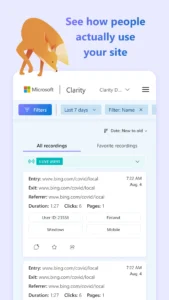
When you use Microsoft Clarity, you gain access to powerful visual tools that show exactly how people navigate your pages. Instead of relying on simple traffic numbers, you can watch recordings of real interactions to see every click and scroll. This level of detail helps you troubleshoot issues that might be driving users away. If you are looking for other essential utilities for your phone, you might also find ZArchiver Pro Donate useful for managing your files.
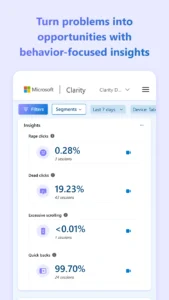
The app offers several key features to help you optimize your site. Session recordings let you see real user interactions, highlighting pain points and successful navigation paths. Heatmaps provide a visual representation of engagement, showing you exactly where users click, move, and scroll. Click heatmaps show which elements attract the most clicks, scroll heatmaps reveal how far users scroll down your pages, and movement heatmaps track mouse movements to highlight areas of interest. Additionally, the AI-powered Clarity Copilot summarizes hours of data into actionable insights, saving you time. For those interested in running complex software, you can also explore Minecraft Java: PojavLauncher to expand your mobile capabilities.
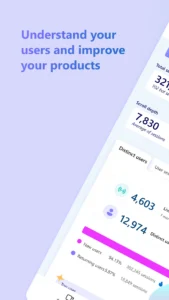
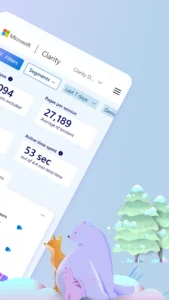
Getting started with the app is a simple process. Once you install the Microsoft Clarity APK, the app requires specific permissions to function correctly. It needs Internet and Network State access to transmit data, and it uses Foreground Service and Wake Lock to maintain consistent monitoring. It also requests Camera access, which is for app-specific functionality, along with permissions to receive boot completion signals. Because the app is built with a focus on privacy, it is GDPR and CCPA compliant, ensuring that no personally identifiable information is collected. The dashboard provides aggregate metrics for overall site traffic and detailed behavioral insights such as time spent on the site and JavaScript errors.
Quick Facts
Strengths and Limitations
Strengths:
- Provides deep behavioral insights through heatmaps and recordings.
- Includes AI-driven summaries via the Clarity Copilot.
- Maintains high privacy standards by being GDPR and CCPA compliant.
- The service is completely free to use.
- Advanced filters allow for data segmentation based on specific criteria.
Limitations:
- Requires several system permissions to operate.
- The app is primarily designed for web analytics, not personal device management.
Who Should Install It?
This app is perfect for website owners, digital marketers, and developers who need to understand user intent. If you want to improve your site conversion rates and user experience without spending money on expensive tools, this is an excellent choice. If you do not have a website or do not need to track user interactions, you will likely find this application unnecessary.
Frequently Asked Questions
Is Microsoft Clarity free to use?
Yes, Microsoft Clarity is a free web analytics tool provided by Microsoft Corporation.
Does it work offline?
No, the app requires an active Internet connection to collect and analyze website visitor data.
Which Android version is required?
You need a device running Android 5.0 or higher to install the app.
APP TRAILER
