


Microsoft Family Safety 2.1.1.1252
Microsoft Corporation
November 22, 2026
34.7 MB
2.1.1.1252
Android 9
com.microsoft.familysafety
SCREENSHOTS
DESCRIPTION
Managing Digital Habits with Microsoft Family Safety
If you are a parent looking for ways to foster healthy digital habits, Microsoft Family Safety provides a centralized hub to monitor and guide your family’s technology use. Developed by Microsoft Corporation, this application serves as a comprehensive tool for both parents and children to balance screen time across multiple platforms, including Android, Xbox, and Windows devices.
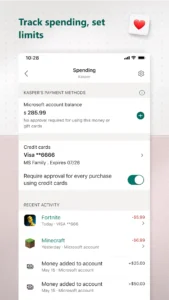
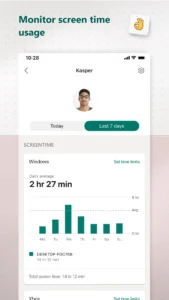
By using Microsoft Family Safety, you gain visibility into your children’s online behavior. The app allows you to set specific limits on apps and games, ensuring that your kids spend their time on appropriate platforms. It also provides weekly activity reports delivered via email, which can help you start productive conversations about online usage with your family.
Key Features for a Safer Digital Experience
The primary goal of this software is to protect your children while giving them the independence to grow. You can implement web filters that restrict browsing to kid-friendly websites on Microsoft Edge, which is a great way to pair this protection with the features found in Microsoft Edge. Additionally, you can block specific apps and games that you deem inappropriate for your child’s age group.
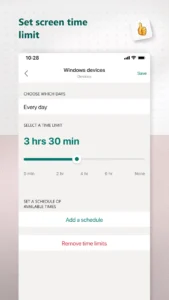
Screen time management is another core component. You can set daily limits for specific apps or manage overall device time on Xbox and Windows. If your child needs more time, they can send a request directly through the app, and you can approve or deny it based on your family’s needs. If you enjoy using Microsoft services, you might also find utility in Bing: Chat with AI & GPT-4 to further enhance your digital productivity.
Installation and Permission Requirements
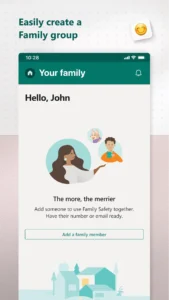
To begin using Microsoft Family Safety, simply download the file and follow the on-screen instructions to link your family members. The app requires several permissions to function correctly, including access to network state, internet, and package usage statistics. These are necessary to track app activity and enforce time limits. It also requests permission to read contacts and phone state, alongside accessibility and device admin services to block unauthorized apps or exit programs on your child’s behalf.
Quick Facts
Strengths and Limitations
Strengths:
- Cross-platform support for Android, Windows, and Xbox.
- Clear, weekly email reports on digital activity.
- Effective content filters for safer web browsing.
- Privacy-focused approach with no location data sales to brokers.
Limitations:
- Requires consistent network access for real-time reporting.
- Needs several system-level permissions to enforce restrictions.
- Effectiveness depends on user setup across all devices.
Who Should Use This App?
This app is ideal for parents who want to actively participate in their children’s digital life without being overly restrictive. It is built for families who already use the Microsoft ecosystem across various devices. If you do not use Xbox, Windows, or Microsoft services, you may find that the features are less relevant to your specific household setup.
Is Microsoft Family Safety free to use?
Yes, the app is free to download and use for managing your family’s digital settings.
Does the app work offline?
While some basic functionality may persist, the app generally requires an internet connection to sync activity reports and enforce real-time parental control settings across devices.
What is the minimum Android version required?
You need a device running Android 9 or higher to install and operate this application.
