


Microsoft Launcher 6.260701.0.1180290
Microsoft Corporation
November 22, 2026
57.0 MB
6.260701.0.1180290
Android 7.0
com.microsoft.launcher
RELATED APPS



SCREENSHOTS
DESCRIPTION
Get More Done with the Microsoft Launcher APK
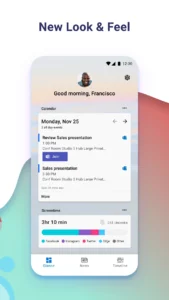
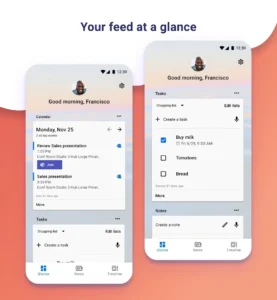
If you want a home screen that helps you stay organized, Microsoft Launcher is a powerful tool designed to make your daily tasks more efficient. When you download the Microsoft Launcher APK, you get a fresh, personalized experience on your phone developed by Microsoft Corporation. It is built to help you manage your calendar, to-do lists, and notes directly from your home screen. Whether you are a professional needing quick access to your agenda or a student keeping track of daily goals, this launcher simplifies your mobile workflow.
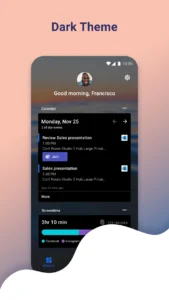
Microsoft Launcher allows you to maintain a consistent look across your device through custom icon packs and adaptive icons. You can enjoy a new Bing wallpaper every day or select your own images to give your phone a personal touch. The app includes a dark theme that integrates with your system settings, making it comfortable to use in low-light environments. You can easily back up your layout locally or to the cloud, which is helpful if you frequently switch between devices or want to test new setups.
To get started, simply download and install the app. Upon first launch, you can choose to start with a clean slate or import your current home screen layout. The app requests a wide range of permissions to function, including access to your microphone for speech-to-text, location for weather updates, and contacts for quick searching. You can choose not to grant these, though some features like the weather widget or voice search may be limited. If you want a different aesthetic, you can try Launcher iOS 16, or explore customization for your typing experience with Keys Cafe.
Core Features of the Microsoft Launcher APK
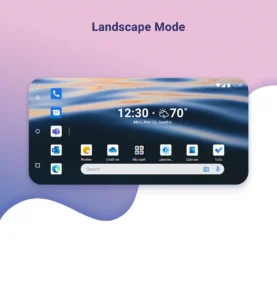
The app uses gestures such as swiping, pinching, and double-tapping to help you navigate your phone quickly. It requires Android 7.0 or higher to run. While Microsoft Launcher is highly functional, keep in mind that it does not replicate your PC desktop experience on your phone. It is a dedicated Android interface designed to bring your Microsoft services closer to your fingertips.
- Customizable icons: Use custom icon packs and adaptive icons for a consistent look.
- Daily wallpapers: Enjoy fresh images from Bing every day or choose your own photos.
- Dark theme: Comfortably use your phone at night with system-wide dark mode support.
- Backup and Restore: Easily move between phones or save your layouts to the cloud.
- Gesture support: Swipe, pinch, and double-tap to navigate your home screen surface.
Strengths and Limitations
- Highly customizable with support for icon packs and themes.
- Includes useful productivity tools like Sticky Notes and calendar feeds.
- Backup and restore functionality makes device switching simple.
- Requires a significant number of permissions to enable all features.
- Does not mirror your PC desktop environment.
Who should install this?
This app is ideal for users who rely on the Microsoft ecosystem for their daily tasks and want a more organized home screen. It is also a good choice if you enjoy frequent customization of your wallpaper and icon styles. If you prefer a minimal, stock-Android experience or do not want to manage multiple app permissions, this might not be the right fit for your device.
Frequently Asked Questions
Is Microsoft Launcher free to use?
Yes, the app is free to install and use on your Android device.
Does it work offline?
You can use the basic launcher functions offline, but features that rely on cloud services, such as Bing Search, weather updates, or cloud backups, require an internet connection.
Which Android versions are supported?
The app requires Android 7.0 or higher to function properly.
