


RELATED APPS





SCREENSHOTS
DESCRIPTION
How to Get Started with Themes for Telegram APK
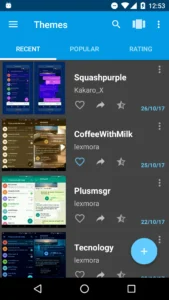
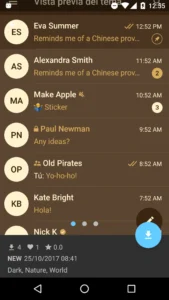
Themes for Telegram is a personalization app by developer rafalense that helps you change the look of your messaging interface. If you want to move away from the default colors and layout of your chat app, this tool provides a collection of user-created designs to give your screen a fresh appearance. With over 10 million installs, it has become a popular choice for those who want to refresh their daily messaging experience.
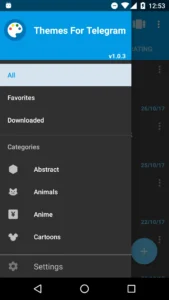
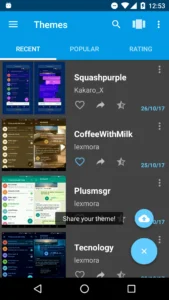
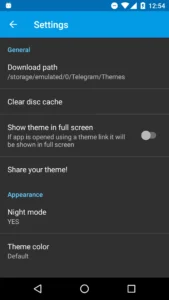
To begin, download and install the Themes for Telegram APK on your Android device. Once opened, you can browse through over 20 categories to find a style that fits your personal preference. If you use the standard messaging app, you apply themes by using the ‘Share theme’ option to your saved messages, where you can then activate them. For users who prefer a different interface, you might also look at Launcher iOS 16 to change your entire home screen layout.
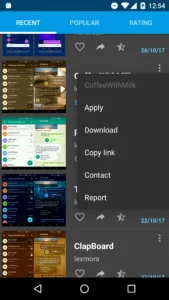
The app acts as a hub where users share their own creative work. You can download themes directly, view what others have built, and even contact the creators if you have questions about their designs. The community-driven nature of the platform means there is always something new to discover. If you are specifically using Plus Messenger, the process is faster because you can use the ‘Apply theme’ button directly from the interface. While you customize your chats, you may also want to explore Keys Cafe to further personalize your typing experience with custom keyboard modules.
App Details and Permissions
To function correctly, the app requires several permissions. These include access to your network and Wi-Fi state to download new content and internet access. It also requires storage permissions to read and write theme files on your device, along with notification permissions to keep you updated on new arrivals. The app uses advertising services to remain free for all users. It also utilizes foreground services and wake locks to maintain connectivity during theme downloads, ensuring your experience remains uninterrupted while you find the perfect look for your chat application.
Strengths and Limitations
Strengths:
- Wide variety of themes categorized for easy discovery.
- Ability to share your own custom designs with the community.
- Direct contact options for theme creators to ask questions.
- Receive notifications whenever new themes are added to the library.
Limitations:
- The app is supported by ads.
- Requires several permissions for storage, network, and ad tracking.
- Applying themes to the standard messenger requires an extra step via saved messages.
Who Should Use This App
This application is ideal for users who enjoy frequent changes to their app aesthetics and want to participate in a community-driven design library. If you prefer a simple, default interface without external customization, you may not find much value here. It is also a great choice if you are already a Plus Messenger user, as the integration is much more direct and convenient for applying your favorite looks.
Frequently Asked Questions
Is Themes for Telegram free?
Yes, the app is free to download and use, though it is supported by advertisements.
Does it work offline?
You need an active internet connection to browse and download new themes, as the content is community-sourced and updated frequently.
Which Android version is required?
The app is compatible with devices running Android 4.4 or higher.
Can I contact the people who make these themes?
Yes, the app includes a feature that allows you to contact the theme creator directly.
