

Wallpapers 10-6793674
Google LLC
November 22, 2026
15.8 MB
10-6793674
com.google.android.apps.wallpaper
RELATED APPS





SCREENSHOTS
DESCRIPTION
How can you personalize your device with the Wallpapers APK?
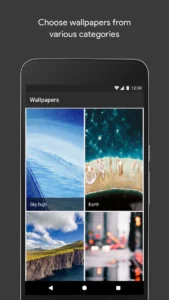
Finding the right image for your phone display can change the look of your entire device. The Wallpapers app, developed by Google Commerce Ltd, provides a simple way to manage your home and lock screens. By using this tool, you can select images from diverse collections to reflect your personal style. Whether you want a serene landscape or a high-quality abstract design, this app makes the process easy to manage for any user. You can rely on this official tool to refresh your device aesthetics frequently.
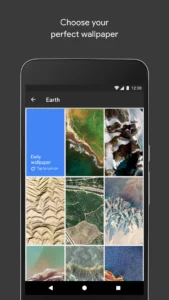
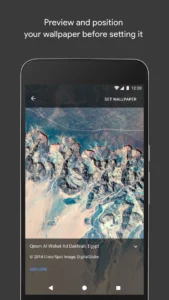
The application offers access to professional photography and scenic views. You can choose images from the Google Earth collection or other partners to keep your screen looking fresh. You can also select your own photos from your device storage to add a personal touch. This Wallpapers APK makes it easy to refresh your visual interface whenever you want by providing a large catalog of high-definition imagery. It is designed to be lightweight while offering a wide range of visual choices for your smartphone.
Key features for a unique display
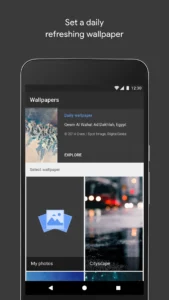
One of the primary benefits of this app is its growing library. You get continuous access to new images from various sources, ensuring your background never feels stagnant. The app includes a daily refresh feature where you can pick a specific category and receive a new image automatically each day, keeping your device display feeling new and interesting. This automation ensures that your phone remains visually engaging without requiring manual intervention every morning.
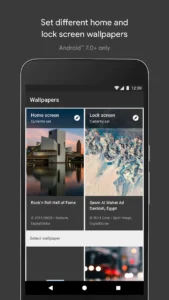
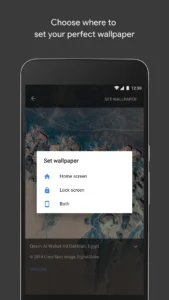
For users running Android 7.0 or higher, the app supports dual display settings. You can show one image on your lock screen and a different one on your home screen. This level of customization is a great way to differentiate your mobile experience from others using Launcher iOS 16 to modify their interface. If you seek to organize your phone layout, you might also be interested in Keys Cafe for further aesthetic adjustments to your keyboard.
Getting started with permissions
To begin using the app, download the Wallpapers APK and install it on your device. The app requires several permissions to function correctly. It needs access to your photos, media, and files to set your personal images as backgrounds. Additionally, it requests storage permissions to display your currently set wallpaper and manage image files. Other permissions, such as network state and internet access, are utilized to download new content from the collection. The app also uses permissions like wake lock and boot completed to ensure your background updates correctly without interrupting your standard mobile usage patterns. These permissions are necessary to ensure the app can fetch, store, and apply images across your system settings.
Quick facts
Strengths and limitations
Strengths:
- Wide selection of high-quality images from Google Earth and other partners.
- Ability to set different wallpapers for the home screen and lock screen.
- Automatic daily wallpaper updates based on user-selected categories.
- Completely free to use with no hidden costs.
Limitations:
- Requires a large list of system permissions to operate.
- Dual-screen feature is restricted to devices running Android 7.0 or higher.
Who should install this app?
If you frequently change your phone background or want a curated selection of scenic photography, this app is a great choice. It is ideal for users who want a lightweight, reliable, and free solution from a trusted developer. Users seeking highly complex theme engines or live interactive wallpapers might find the feature set too simple for their specific needs, but for general personalization, it remains highly effective.
Frequently Asked Questions
Is the Wallpapers app free?
Yes, the app is free to download and use.
Does it work offline?
The app requires internet access to download new images from the online collection, though it can set locally stored photos offline.
What Android version is required?
While the app works on various versions, the dual-screen lock/home screen feature requires Android 7.0 or higher.
