


Microsoft Loop 1.2.1111.35
Microsoft Corporation
November 22, 2026
133.4 MB
1.2.1111.35
Android 10
com.microsoft.loop
RELATED APPS






SCREENSHOTS


DESCRIPTION
Microsoft Loop is a tool built for teams that need to think, plan, and create in a shared space. Developed by Microsoft Corporation, this application helps you manage project content and tasks across different devices. If you are looking for a way to keep your team aligned, the Microsoft Loop APK provides a mobile environment to capture ideas and organize workflows. It is designed for users who need to collaborate on the move, offering a unified space for content and communication. By using the Microsoft Loop APK, you ensure that your team stays connected to the most current information regardless of where you are working from.
Manage Your Projects with the Microsoft Loop APK
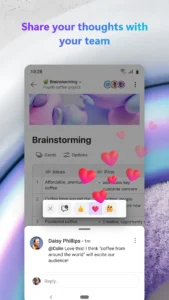
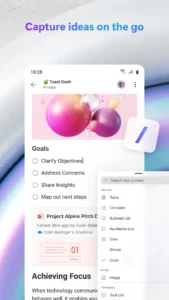
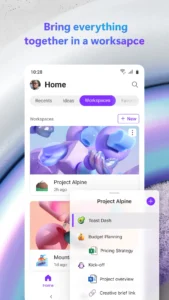
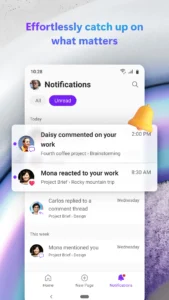
Collaboration happens through several core features within the app. You can create task lists and add photos directly to your pages to express your thoughts clearly. The workspace feature allows you to gather all your project content in one location, which helps your team focus on the most important goals. You can also comment and react to updates in real-time, making it simple to stay updated while away from your desk. Furthermore, the app allows you to share components across other Microsoft 365 services to ensure everyone stays on the same page. This mobile approach helps busy professionals maintain momentum on projects that require constant updates and team input. When you download the Microsoft Loop APK, you gain access to a flexible system that adapts to your team’s specific planning style.
To begin using the software, you must sign in with a Microsoft Account or an account provided by your work or school. The app requires several permissions to function, including network access for syncing, notification permissions to keep you updated, and storage access to manage your files. Other permissions like NFC and system alerts allow the app to integrate with your device’s hardware features. These permissions ensure that the app can send you relevant alerts and maintain a stable connection to your cloud workspaces. If you manage retail operations, you might also find tools like Kyte: POS, Online Store & Catalog useful for your inventory needs. For those who enjoy using AI for productivity, Bing: Chat with AI & GPT-4 is another helpful utility from the same developer.
Strengths and Limitations
Strengths
- Brings project content and tasks into a single workspace.
- Supports real-time collaboration with comments and reactions.
- Integrates with the broader Microsoft 365 ecosystem for better alignment.
- Provides a dedicated mobile experience for teams on the go.
Limitations
- Requires a valid Microsoft, work, or school account to sign in.
- The app size is 133.4 MB, which may be significant for some mobile devices.
- Requires Android 10 or higher for full compatibility.
Who should use this app?
You should install Microsoft Loop if you are part of a team that already uses Microsoft 365 and needs a mobile-friendly way to track project progress. It is ideal for project managers and team members who need to exchange ideas and monitor task lists while out of the office. However, if you do not have a Microsoft account or prefer a different productivity platform, you may want to skip this installation. Microsoft Loop is a free application, but it is strictly designed for those integrated into the Microsoft workflow.
Frequently Asked Questions
Is Microsoft Loop free to use?
Yes, the application is free to download and use.
Does the app work without an internet connection?
While you can view some content, the app requires a network connection to sync your workspaces and collaborate with your team in real time.
Which Android versions are supported?
This app requires Android 10 or newer to run effectively.
