

Microsoft SharePoint 4.02.01
Microsoft Corporation
November 22, 2026
34.7 MB
4.02.01
Android 8.1
com.microsoft.sharepoint
RELATED APPS






SCREENSHOTS
DESCRIPTION
If you are a professional using Microsoft 365, the Microsoft SharePoint app is designed to keep you productive from anywhere. Developed by Microsoft Corporation, this mobile tool brings your intranet and team collaboration spaces directly to your Android device. It uses AI to understand your work patterns, helping you find relevant content and colleagues quickly.
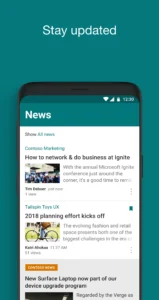
By downloading the Microsoft SharePoint APK, you get a mobile-optimized view of your organizational resources. Whether you need to catch up on company news or locate a specific file, the app acts as a hub for your digital workspace. It is built to support both SharePoint Online and on-premises SharePoint Server versions 2013 and higher. The software ensures that your professional content remains accessible while you are on the move, providing a direct link to your team’s most important updates and shared documents.
Key Features for Your Workflow
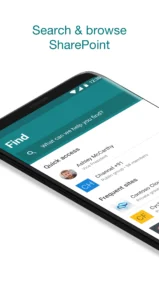
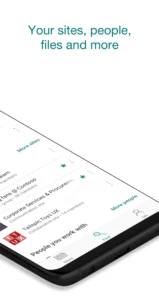
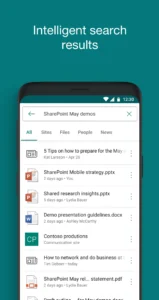
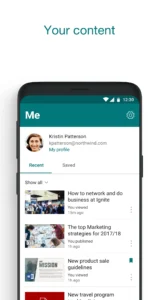
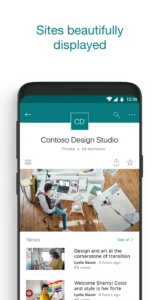
The app simplifies how you interact with your team’s data through several core features. You can browse your sites, files, and people to resume work exactly where you left off. The search functionality is enhanced to help you discover important documents and resources across your organization. Additionally, you can create news posts while on the go, allowing you to share status updates, reports, and experiences with your team easily.
The AI-driven interface builds an understanding of how your work relates to your colleagues. You can tap on a user to view their contact card, see who they work with, and identify their current projects. For users managing multiple work identities, the app allows you to add multiple accounts and switch between them without logging out. If you need to manage your communication, you might also consider tools like Google Meet for your video conferencing needs.
Installation and Permissions
To use this app, your organization must have an Office 365 subscription or a compatible SharePoint Server. You will need to sign in with your professional credentials. The app requests various permissions to function correctly, including access to network and Wi-Fi state for connectivity, and account management permissions to handle your professional logins. It also uses vibration, wake locks, and notification permissions to keep you updated on important activities. These permissions allow the app to operate in the background and ensure you receive timely alerts about site activity.
If you value using AI-powered tools within your professional suite, you may also find value in the Bing: Chat with AI & GPT-4 application for your search and assistance tasks. Please note that data handled through Microsoft SharePoint may be processed in the United States or other regions where Microsoft maintains facilities. The app is built to handle sensitive corporate data securely, ensuring that your organization’s security policies are respected across your mobile devices.
Quick Facts
Strengths and Limitations
Strengths:
- Quick switching between multiple work accounts.
- AI-powered search for finding relevant content and colleagues.
- Support for both cloud-based and on-premises SharePoint servers.
- Ability to create and publish news posts directly from your phone.
Limitations:
- Requires an active Office 365 subscription or valid SharePoint Server.
- Cannot be used for personal, non-organizational accounts.
- Requires a stable network connection to access live data.
Frequently Asked Questions
Yes, the app is free to install, but you must have an existing Office 365 subscription or a valid SharePoint Server account to sign in and use its features.
Can I use this app offline?
The app is primarily designed to access live organizational data, so a network connection is required to browse sites, files, and news.
Which Android versions are supported?
This version of the app requires Android 8.1 or higher to function properly.
