


Microsoft Teams 1416/1.0.0.2026203802
Microsoft Corporation
November 22, 2026
219.7 MB
1416/1.0.0.2026203802
com.microsoft.teams
RELATED APPS






SCREENSHOTS


DESCRIPTION
Stay Connected with Microsoft Teams APK
Microsoft Teams provides a centralized platform for communication and project management. Whether you are coordinating with family, friends, or work colleagues, this tool brings chats, meetings, and file storage into one location. Developed by Microsoft Corporation, it allows users to manage tasks, share documents, and host video calls from their Android devices. By installing the Microsoft Teams APK, you gain access to a versatile environment designed to keep your professional and personal life organized.
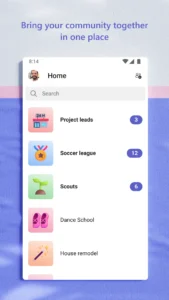
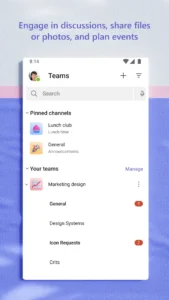
The app integrates various communication needs, including individual messaging and large community channels. You can organize projects by topic, ensuring that your team stays focused on specific goals. By using Microsoft Teams, you gain access to enterprise-level security features that help keep your data protected while you collaborate on the go. This Microsoft Teams APK ensures that you stay reachable and productive, regardless of your physical location. It is built to serve as a comprehensive hub where you can manage access to information, ensuring the right people see the right data at the right time.
Key Features for Productivity
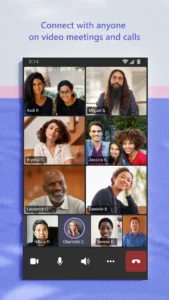
The core of the experience is built around efficient communication. You can host secure audio and video meetings with anyone by simply sharing a calendar invite or a link. During these calls, the app supports features like screen sharing, digital whiteboards, and breakout rooms to facilitate better discussions. The latest update even allows you to use Copilot to summarize channel meetings, helping you catch up on important details quickly without re-watching entire sessions. You can also use GIFs, emojis, and message animations to express yourself when words are not enough.
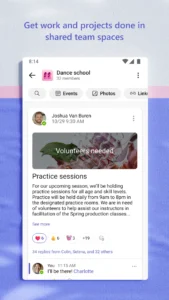
Collaboration extends beyond just talking. You can manage tasks by assigning them to team members, setting due dates, and tracking progress directly within the app. Furthermore, Microsoft Teams includes built-in cloud storage, allowing you to access shared documents and photos from anywhere. If you need tools to help manage your business operations or inventory, you may also find Kyte: POS, Online Store & Catalog helpful for your daily tasks. Additionally, for users interested in advanced AI assistance, Bing: Chat with AI & GPT-4 offers powerful search and writing capabilities on your mobile device.
Getting Started and Permissions
To begin, download the Microsoft Teams APK to your Android device. Upon installation, the app will request various permissions to function correctly. These include access to your camera and microphone for calls, storage permissions for file sharing, and location access to manage local services. It also requires network state access to maintain stable connections during meetings. You will need to sign in with a Microsoft account to access community features, while commercial use may require a paid Microsoft 365 subscription. The app also manages your contacts and phone state to facilitate calling experiences. The application requires extensive permissions, including Bluetooth for device connectivity, NFC, and various foreground services to ensure the app remains active during calls and data synchronization tasks.
Strengths and Limitations
Strengths:
- Centralized hub for chats, files, and calendar events.
- Enterprise-grade security and compliance standards.
- Integration with existing Microsoft 365 services.
- Advanced meeting tools like whiteboards and screen sharing.
- Ability to summarize meetings using integrated AI features.
Limitations:
- Requires a Microsoft account for full functionality.
- Certain commercial features require a paid subscription.
- Large file size of 219.7 MB.
- Extensive permission requirements for full feature access.
Frequently Asked Questions
Is Microsoft Teams free to use?
Yes, the app is free to download and use. However, some commercial features require a paid Microsoft 365 subscription or a trial.
Can I use this app for personal communication?
Yes, you can use it to connect with communities, family, and friends for activities or general planning.
Does the app support offline file access?
The app provides cloud storage access, which requires an active internet connection to retrieve your latest documents and files.
What Android version does this app require?
The application supports a wide range of devices, though specific minimum requirements are not listed; it is compatible with most modern Android hardware.
