


Mood SMS - Messages App 4.4.0.3935
Glad Appvestor
November 22, 2026
80.5 MB
4.4.0.3935
com.calea.echo
RELATED APPS






SCREENSHOTS

DESCRIPTION
Getting Started with Mood SMS – Messages App APK
Setting up Mood SMS – Messages App is a simple process for anyone looking to replace their default messaging experience. Once you install the application, you are greeted with a clear overview of your existing contacts and conversations. The navigation bar located at the bottom of the screen provides direct access to all essential tools, including custom themes, emoji stickers, and backup management. Because the app functions similarly to standard messaging platforms, the learning curve is minimal. By choosing Mood SMS – Messages App APK, you gain access to a platform that prioritizes user control and visual personalization from the very first launch.
To function fully, the app requires a wide range of permissions. These include access to your SMS, MMS, contacts, storage, and call logs to manage your messages and provide the after-call screen. It also requests location access for features like silent notifications in specific areas, and microphone access for voice-to-text and voice messaging capabilities. You will need to grant these permissions during the initial setup to ensure all features work as intended. This level of access allows the app to integrate deeply with your phone’s core functions.
Key Features for Custom Messaging
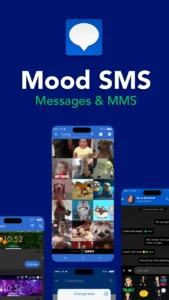
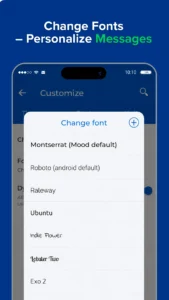
Mood SMS – Messages App provides extensive tools to move beyond simple text communication. You can apply custom themes, change chat backgrounds, and adjust colors to match your personal style for individual conversations. The app also includes creative options like an integrated GIF creator and tools for sending animated drawings, making your interactions more expressive. These visual tools ensure that your messages reflect your unique personality and mood.
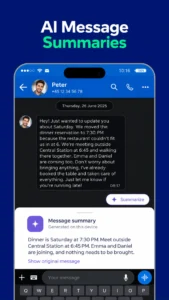
The latest version integrates on-device AI to assist with your daily communication. You can use AI message summaries to quickly catch up on long threads or utilize the AI text-to-speech feature to listen to incoming messages. These tools are designed to save you time and provide hands-free options, such as SMS announcements that read messages out loud when you are busy. You can also turn these AI features on or off within the settings menu at any time.
Functional Tools and Convenience
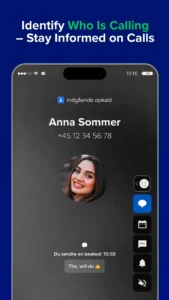
The app includes a dedicated after-call screen that appears once a phone call ends. This allows for immediate follow-up actions, such as sending a quick SMS or checking recent messages without navigating away from your call history. For users with multiple phone numbers, the app provides full dual SIM support, allowing you to manage all your SMS and MMS traffic from a single interface. If you prefer a different type of experience, you might also look at Telegram for its focus on cloud-based messaging or Google Chrome: Fast & Secure for your mobile browsing needs. The app also includes a Trash folder where deleted messages and chats stay for 30 days, allowing you to restore them if needed.
Strengths and Limitations
Strengths:
- Extensive customization options for themes and chat backgrounds.
- Useful AI-powered tools like text summarization and text-to-speech.
- Practical features such as scheduled messaging and dual SIM support.
- Ability to hide private chats for added security.
- Message restoration from a 30-day Trash folder.
Limitations:
- The app is supported by advertisements.
- Requires a high number of permissions to enable all features.
- The file size is 80.5 MB, which is larger than some basic messaging apps.
Frequently Asked Questions
Is Mood SMS free to use?
Yes, Mood SMS – Messages App is free to download and use, though it includes advertisements within the interface.
Can I use this app offline?
While many features like customizing your layout or writing messages work offline, some AI functions and network-dependent tools require an internet connection.
Does it support dual SIM phones?
Yes, the app includes dual SIM support to help you manage messages from multiple numbers.
Which Android versions are supported?
The app is compatible with a wide range of Android devices, though specific minimum requirements are not listed.
APP TRAILER
