


Phone by Google 247.0.1016877637-pixel
Google LLC
November 22, 2026
80.7 MB
247.0.1016877637-pixel
com.google.android.dialer
RELATED APPS






SCREENSHOTS
DESCRIPTION
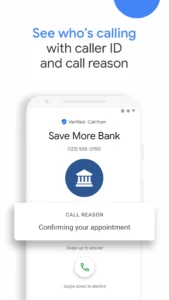
Phone by Google is the official calling application developed by Google Commerce Ltd. When you download the Phone by Google APK, you gain a primary interface for making and receiving calls on your Android device. With a focus on simplicity and security, it helps you manage your contacts, identify unknown callers, and reduce unwanted interruptions. This app is designed to replace standard dialer interfaces with a clean, intuitive layout that works well on both phones and Wear OS devices.
Getting Started with the Phone by Google APK
To begin using Phone by Google, ensure your device is compatible. The app is designed for most Android devices running Android 9.0 or higher. Once installed, the app requests various permissions to function correctly. These include access to your contacts, call logs, microphone, and location services. These permissions are necessary to display caller IDs, manage your call history, and enable features like emergency location sharing. You can also look into other tools like ZArchiver Pro Donate for file management or Minecraft Java: PojavLauncher if you need specialized software.
The app also requires access to your phone state, SMS, and Bluetooth to handle incoming calls and voicemail transcription. During setup, you can grant these permissions to allow the app to effectively block spam and filter calls. By centralizing your communication, this application becomes a powerful utility. It is lightweight, efficient, and built to keep your favorite people just a single tap away while maintaining a modern aesthetic. The setup process is straightforward, ensuring that your dialer is ready for daily use immediately after installation.
Key Features and Capabilities
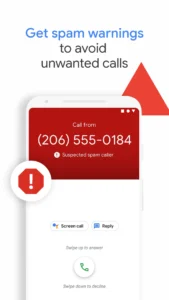
The application includes several tools to improve your daily calling experience. Its spam protection system warns you about suspicious callers, letting you avoid telemarketers and scammers. You can manually block specific numbers to prevent them from contacting you again. Additionally, the visual voicemail feature allows you to view, play, and transcribe messages without calling into a voicemail box. This saves time and keeps your inbox organized.
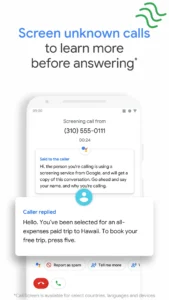
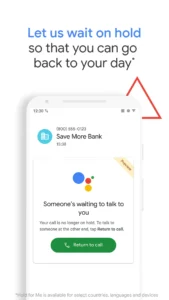
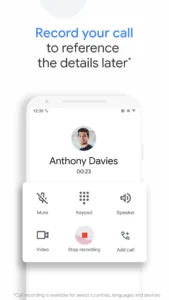
For those who frequently call businesses, the app provides a way to avoid waiting on hold. The Hold for Me feature allows the Google Assistant to wait on the line for you, alerting you once a human representative is ready. If you need to keep records of your conversations, you can use the call recording function. Please note that the app plays a disclosure sound when recording begins to ensure all parties are aware. Furthermore, the latest update to Call Screen on Pixel devices in the US helps you automatically screen unknown callers and filter out detected robocalls before your phone even rings.
The design remains lightweight and supports a dark mode, which helps reduce eye strain and saves battery life. It also includes emergency support features that provide your current location to dispatchers when you make an emergency call. Whether you are managing personal contacts or professional inquiries, Phone by Google keeps your most important connections just a single tap away. The interface is optimized to reduce visual clutter, making it easier to find your contacts quickly.
Quick Facts
Strengths and Limitations
Strengths:
- Effective spam and scam call detection.
- Intuitive design with a clean user interface.
- Integrated visual voicemail and call recording.
- Enhanced safety features for emergency calls.
Limitations:
- Some advanced features like automatic call screening are limited to specific regions and languages.
- Requires numerous permissions to operate all integrated services.
- Certain features such as Hold for Me are restricted to specific devices and use cases.
Frequently Asked Questions
Is the Phone by Google app free to use?
Yes, the app is free to download and use on compatible Android devices.
Does this app work offline?
While basic calling functions work without an internet connection, features like spam detection, caller ID, and voicemail transcription require an active network connection.
Which Android versions are supported?
The app is available for most Android devices running Android 9.0 and above.
