

Qwen Studio 2.12.0
Alibaba Cloud
November 22, 2026
64.5 MB
2.12.0
Android 11
ai.qwenlm.chat.android
RELATED APPS






SCREENSHOTS
DESCRIPTION
Features and Capabilities of the Qwen Studio APK
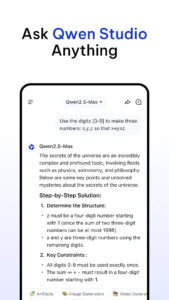
Qwen Studio is a versatile AI assistant developed by Alibaba Cloud that functions as a personal manager for your daily tasks. Whether you are tackling office work, managing study projects, or simply gathering information, this application provides practical guidance to increase your efficiency. By downloading the Qwen Studio APK, you gain access to advanced reasoning and search technologies designed to help you navigate complex problems with ease. It is a comprehensive tool that acts as both an office helper and a creative companion in your pocket.
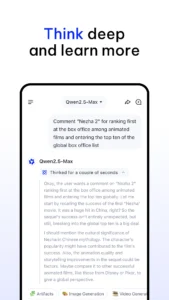
The core of the experience is the Deep Thinking feature, which is powered by QwQ technology. This allows the application to perform advanced logical reasoning and solve complex issues using real-time internet data. If you need to find specific resources or answers, the integrated search tool provides filtered, contextual results that match your query. You can also turn to Qwen Studio for general knowledge questions, as it is built to handle diverse topics ranging from historical facts to providing emotional support when you need a listening ear. The app is designed to be your go-to source for both intellectual curiosity and daily encouragement.
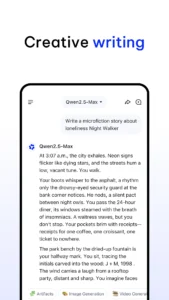
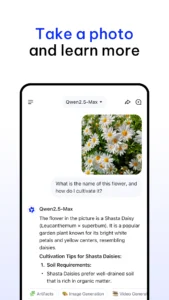
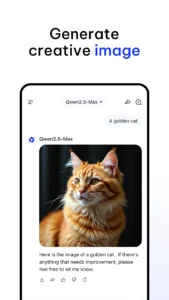
The application offers advanced multimodal understanding, meaning it can process text, audio, images, and video simultaneously. You can ask it to interpret data from a chart, extract key information from an audio clip, or generate comprehensive responses by combining text and images. For creative tasks, the app includes writing assistance to help you structure essays, novels, or academic papers. It also features an image generation tool that transforms your descriptive ideas into high-quality visuals, from abstract art to realistic landscapes. For related productivity tools, you might also consider Google Meet for your communication needs or MediaFire for managing your files.
Getting Started and App Permissions
To begin using the application, you must ensure your device runs Android 11 or higher. Upon installation, the app requests several permissions to function correctly. It requires access to your camera, microphone, and storage to handle multimodal inputs like image processing and audio recording. It also uses network and Wi-Fi state permissions to maintain the internet connectivity necessary for its search and reasoning functions. Additionally, the app utilizes foreground service permissions to manage media playback and background audio tasks effectively. These permissions allow the AI to interact with your media and sensor inputs to provide more helpful, context-aware responses to your requests.
Quick Facts
Strengths and Limitations
Strengths:
- Advanced reasoning capabilities for complex problem-solving and deep thinking.
- Multimodal support for simultaneous text, image, audio, and video processing.
- Built-in creative tools for writing assistance and custom image generation.
- Access to real-time internet data for accurate and up-to-date information.
Limitations:
- Requires a relatively modern device running Android 11 or higher.
- Requests a wide range of system permissions including camera and microphone access.
- The app size of 64.5 MB may impact storage on devices with limited capacity.
- Real-time functionality means the app cannot be used without an active internet connection.
Who Should Install Qwen Studio?
This application is ideal for students, office workers, and creative professionals who need an all-in-one assistant to handle research, writing, and data analysis. If you value having a tool that can “think” through complex problems and generate custom visuals, Qwen Studio is a strong choice. However, if you prefer offline tools or have a device running an older version of Android, this app will not meet your requirements.
Is Qwen Studio free?
Yes, the app is free to use for all users.
Does it work offline?
No, the app relies on real-time internet data to provide its search and reasoning features.
What is the minimum Android version required?
You need a device running Android 11 or higher to install the application.
