

Seeing AI 1.5
Microsoft Corporation
November 22, 2026
198.7 MB
1.5
Android 6.0
com.microsoft.seeingai
RELATED APPS






SCREENSHOTS
DESCRIPTION
Empowering Daily Life with the Seeing AI APK
Seeing AI is a free application developed by Microsoft Corporation to help people who are blind or have low vision navigate their surroundings. If you are looking for a reliable way to identify objects, read text, or recognize people, the Seeing AI app offers a comprehensive set of tools designed for your specific needs. By downloading the Seeing AI APK, you gain access to an ongoing research project that harnesses the power of artificial intelligence to narrate the world around you. This tool is built to open up your visual environment by describing nearby people, text, and objects in real-time.
How the Seeing AI APK Assists You
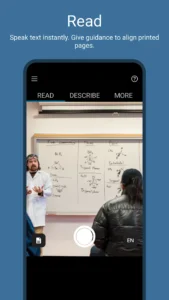
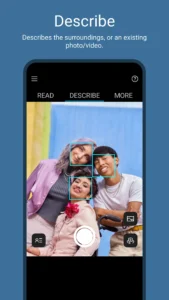
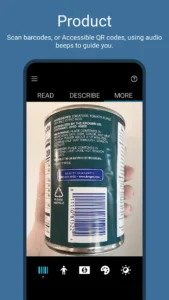
The app provides several distinct modes to help you manage daily tasks with confidence. You can use the Read feature to hear printed text instantly, as the document alignment provides audio cues to help you capture a page and recognize the text along with its original formatting. The Describe mode allows you to take photos and explore the scene by moving your finger over the screen to hear the location of different objects. You can also ask questions about the contents to find the specific information you need quickly. Seeing AI also lets you scan product barcodes and accessible QR codes using audio beeps to guide you, providing the product name and package information when available.
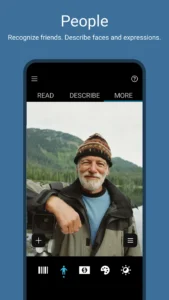
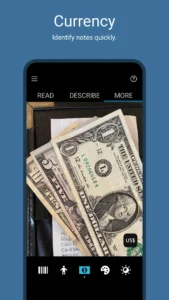
Beyond reading and object recognition, this app excels at identifying people and currency. You can save photos of friends and coworkers so you can recognize them later, with the app providing estimates of their age, gender, and expression. Additional features include identifying colors and hearing an audible tone that corresponds to the brightness of your current surroundings. Integrating this app into your daily routine is simple. Once you install the Seeing AI APK, you will need to grant permissions for the camera, microphone, and storage to allow the app to process images and audio. It also requires location access to function correctly within its various modes. You can easily share photos or videos from other apps, such as WhatsApp or your email, by selecting the recognize option in the share menu. For those interested in other Microsoft tools, you might also find Bing: Chat with AI & GPT-4 useful for your daily productivity.
Quick Facts About Seeing AI
Strengths and Limitations
Strengths:
- Free to use with no hidden costs or subscriptions.
- Advanced AI recognition for text, people, currency, and objects.
- Accessibility-focused design tailored for blind and low-vision users.
- Ability to process media from other apps via the share menu.
- Recent updates allow you to review history for the past 30 days.
Limitations:
- Requires a variety of system permissions, including camera and microphone access.
- The app size is nearly 200 MB, which may be significant for some devices.
- Performance is dependent on the quality of the device camera and lighting conditions.
- Requires an active internet connection for many advanced AI processing features.
Whether you need help with simple tasks or more complex descriptions, Seeing AI is built to adapt as research advances. If you are looking for communication tools, you could also explore Google Meet to stay connected with others. The app now supports multiple languages, and you can even choose to use it in a different language than your phone settings.
Is Seeing AI free to use?
Yes, Seeing AI is a completely free app provided by Microsoft Corporation.
Which Android version do I need?
You need a device running Android 6.0 or higher to install and run the app.
Can I use this app offline?
The app requires an internet connection for many of its advanced recognition features and AI processing capabilities.
