


Sound Amplifier 4.91.886631805
Google LLC
November 22, 2026
29.4 MB
4.91.886631805
com.google.android.accessibility.soundamplifier
RELATED APPS






SCREENSHOTS
DESCRIPTION
How does Sound Amplifier APK improve your listening experience?
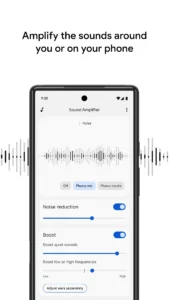
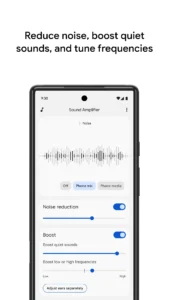
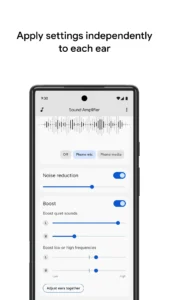
Sound Amplifier is a tool developed by Google Commerce Ltd designed to help people who are hard of hearing. By using your Android phone and a pair of headphones, this app filters and boosts sounds in your immediate environment. Whether you are in a crowded room or listening to media on your device, it helps you focus on the audio that matters most. Installing the Sound Amplifier APK provides a way to adjust your audio settings to make conversations clearer. You can reduce background noise to better recognize speech in difficult settings. For those who need specific adjustments, you can boost low or high frequencies or amplify quiet sounds. You can even set these preferences separately for each ear to match your specific hearing needs. If you require messaging tools, you might also find Telegram useful for your communication needs.
Key features of Sound Amplifier
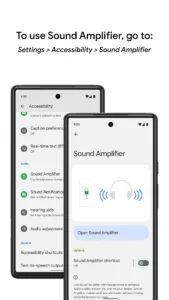
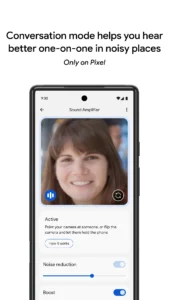
The app offers several ways to customize how you hear the world around you. Conversation mode helps you focus on a single speaker’s voice in noisy environments, which is available for users with a Pixel 3 or newer device. You can use the app to listen to lectures, TV, or live conversations more effectively. While it works with many headphones, using Bluetooth devices can sometimes result in delayed audio transmission. Managing the app is simple. You can turn Sound Amplifier on or off quickly using your phone’s accessibility button, a simple gesture, or the Quick Settings menu. This makes it easy to activate the service only when you need it. If you are looking for other essential tools for your device, you can check out Google Chrome: Fast & Secure for your browsing needs.
Getting started with the app
To begin using Sound Amplifier, download the Sound Amplifier APK and ensure your device runs Android 8.1 or later. You must pair your Android device with headphones to utilize the features. The app requires several permissions to function correctly. The microphone permission allows the app to process audio for amplification and filtering. The accessibility service allows the app to observe your actions and retrieve window content to provide its core functionality. Other required permissions include internet access for connectivity, notification management, and audio setting modification. The app is designed to process audio locally on your device; it does not store or collect any audio data. To get the best results, ensure your headphones are connected securely before launching the service.
Quick facts about Sound Amplifier
Strengths and limitations
Strengths:
- Allows for detailed frequency customization for each ear.
- Provides a dedicated conversation mode for noisy environments.
- Integrates directly with Android accessibility settings and quick gestures.
- The app is completely free to use.
Limitations:
- Requires the use of headphones for all audio processing.
- Bluetooth headphones may experience sound delay.
- Conversation mode is restricted to specific device models like the Pixel 3 and newer.
- Requires significant system permissions to function as an accessibility service.
Common questions about Sound Amplifier
Is Sound Amplifier free to use?
Yes, the app is free to download and use on your Android device.
Does it work offline?
The app processes audio locally on your device to help you hear better, which does not require a constant internet connection for its primary amplification tasks.
Which Android version do I need?
You need an Android device running version 8.1 or later to install and use this application.
Who is this app for?
This application is designed specifically for people who are hard of hearing to improve their ability to participate in conversations and listen to media.
APP TRAILER
