


Splitify - Music Vocal Remover 0.0.13_BETA
November 22, 2026
46.1 MB
0.0.13_BETA
com.hitrolab.vocalremover.acapella
RELATED APPS






SCREENSHOTS
DESCRIPTION
How the Splitify – Music Vocal Remover APK Works
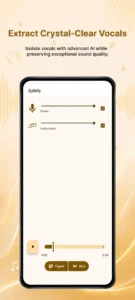
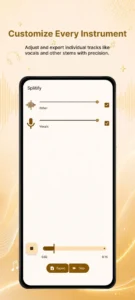
Splitify – Music Vocal Remover is an AI-powered tool designed to help you isolate specific audio elements from your favorite songs. Developed by Google Commerce Ltd, this application allows you to extract vocals, drums, bass, and other instrumentals to create your own karaoke tracks or acapella versions. Whether you are a casual listener or an audio producer, the Splitify – Music Vocal Remover APK provides a simple way to process music files directly on your Android device.
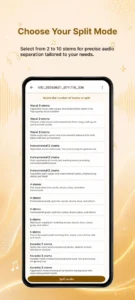
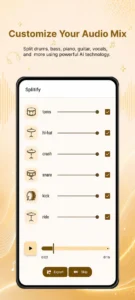
At the core of this application is advanced artificial intelligence. The latest version, 0.0.13_BETA, introduces several processing modes, including a 2-track mode for basic vocal and instrumental separation, as well as 4-track and 6-track modes. These higher-tier modes allow you to isolate individual instruments like drums, bass, guitar, and piano. If you need to focus specifically on percussion, the new drums-focused model can isolate the kick, snare, toms, and other rhythmic components. By utilizing these tools, you can transform any standard song into a custom backing track for your specific creative needs.
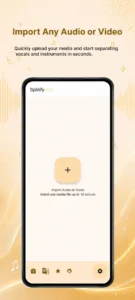
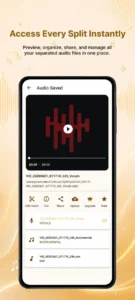
To get started, simply download the Splitify – Music Vocal Remover APK and install it on your device. The app requires several permissions to function correctly, including internet access to process files, foreground service to keep the extraction running, and storage access to read your audio files. It also manages ad services and billing to support its free model. Once installed, the interface guides you through importing your file and selecting your preferred isolation model. You can now preview your output directly within the app before saving your result. This streamlined process ensures that even those without professional audio engineering experience can achieve high-quality results quickly.
The app developers have recently focused on optimizing the user experience by adding support for Android 16 (API 36). Furthermore, the interface is now fully optimized for landscape viewing, which is particularly helpful when managing complex 6-track extractions on tablets. The inclusion of these features demonstrates a commitment to providing a versatile audio tool that handles everything from pop and rock tracks to specialized folk or Arabic instrumental music. Users can rely on this app to refine their vocal skills through dedicated practice sessions, as the isolation technology provides clean, clear backing tracks.
Key Features and Improvements
- Precision AI Separation: The app uses state-of-the-art algorithms to separate vocals from complex audio, ensuring high-quality results for various genres.
- Multi-Track Extraction: Choose between 2, 4, or 6 tracks to isolate vocals, drums, bass, guitar, and piano.
- Speed Optimization: Recent updates have provided significant speed improvements, making the extraction process up to 30% faster than previous versions.
- Enhanced Usability: With the latest updates, the user interface is now optimized for landscape mode, providing a better workflow on tablets and larger screens.
Organizing your local music library after processing your tracks is easier when you have the right tools, and you might find Meulify useful for your listening needs. For those who need to manage their device’s audio output settings while working with these isolated tracks, Sound Assistant offers additional control over your mobile sound environment.
Quick Facts
Strengths and Limitations
- Strengths: Fast processing speeds, multiple separation modes for advanced users, and a clean, user-friendly interface.
- Limitations: The app contains advertisements, requires an active internet connection for processing, and may require specific permissions to ensure smooth operation.
Frequently Asked Questions
Is Splitify – Music Vocal Remover free to use?
Yes, the app is free to download and use, supported by advertisements.
Does this app work offline?
No, the app requires an internet connection to utilize its AI-powered processing algorithms.
Can I export different instruments separately?
Yes, you can use the 4-track or 6-track modes to isolate specific elements like drums, bass, and piano.
